
AmountFill: Spell Number, Money to Words & Rupees
Spell numbers and money in words for Google Sheets™: rupees in lakh and crore, dollars, euros and more, with cheque wording. Amounts up to 999 free, then $9 once.
Privacy policy · Terms of service · Support: spyridwn.pd@gmail.com
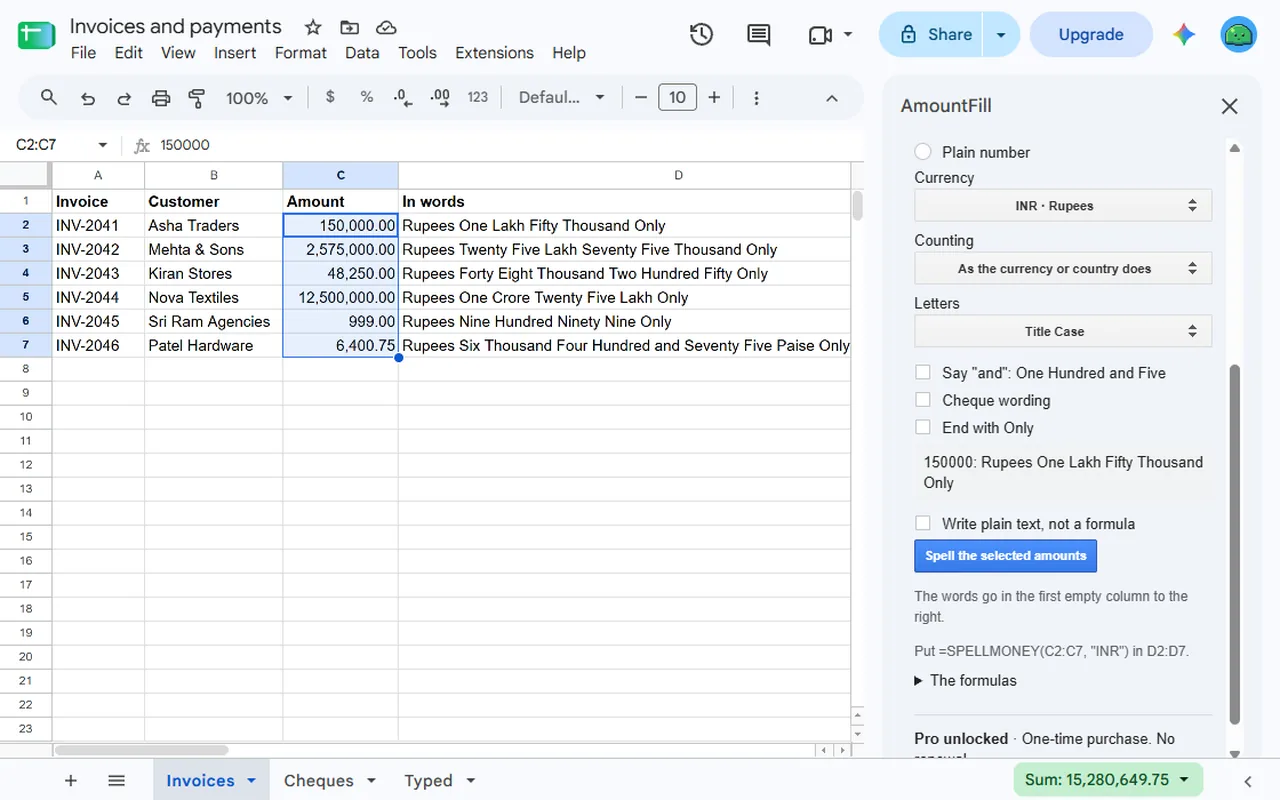
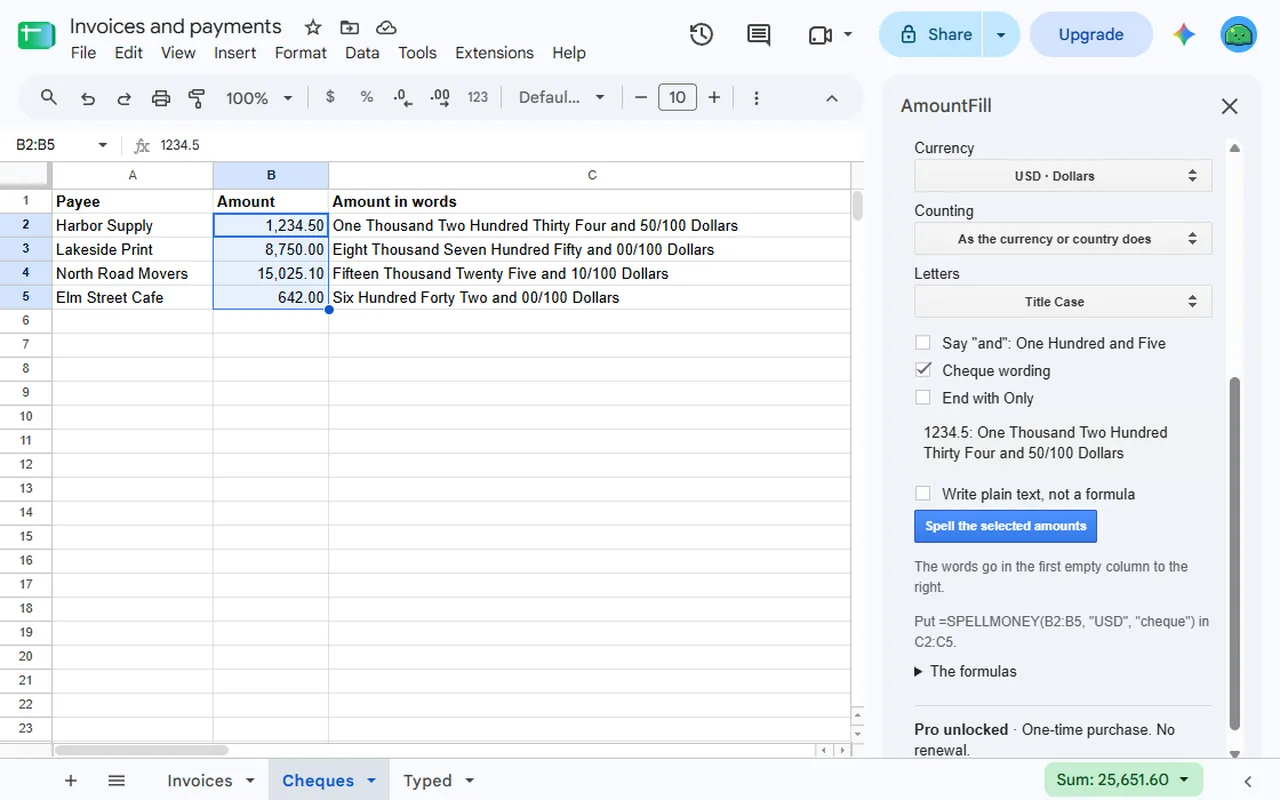
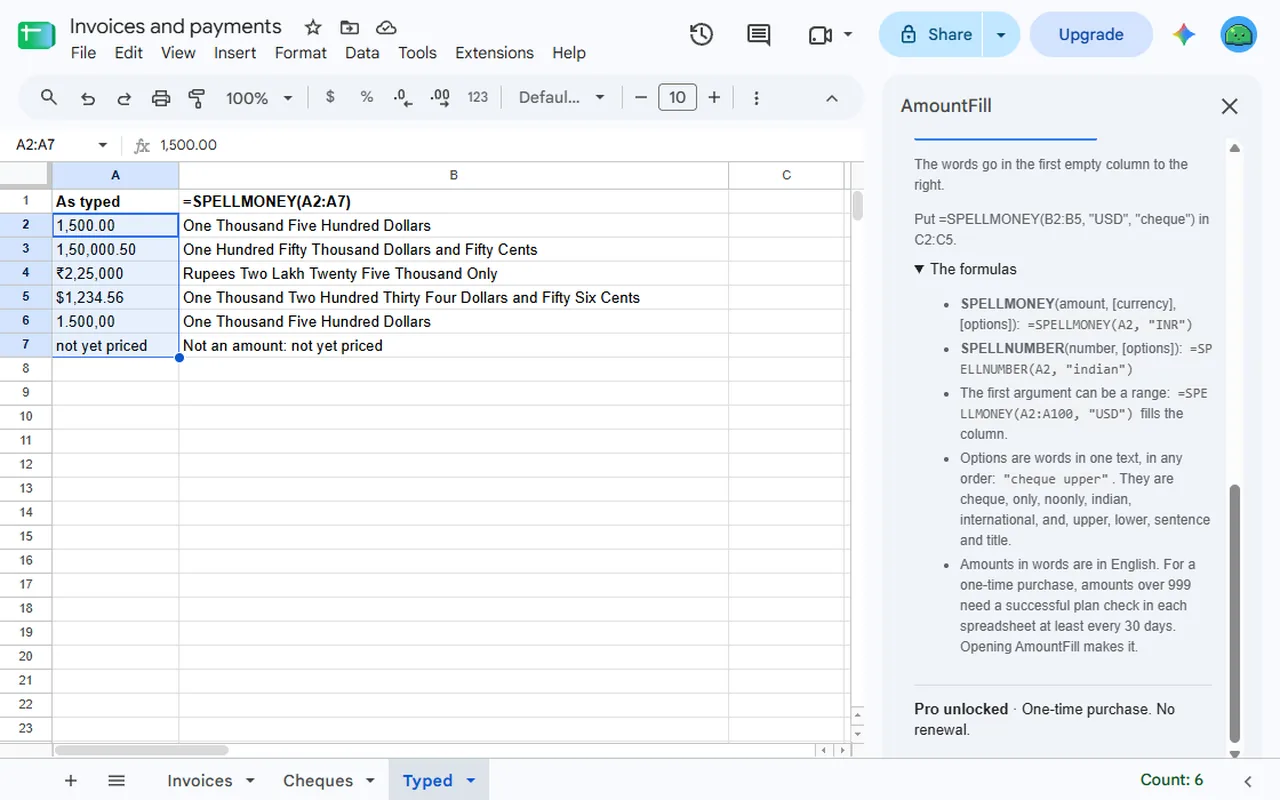
AmountFill is an add-on for Google Sheets™ that turns the amounts in your spreadsheet into words, for invoices, receipts and cheques: two formulas, and a sidebar that spells a whole column.
PrintFill’s QR codes, barcodes and labels stay until the end of 22 December 2026: Extensions > AmountFill > Open PrintFill (until the end of 22 December 2026).
=SPELLMONEY(A2, "INR")gives Rupees One Lakh Fifty Thousand Only.=SPELLMONEY(A2, "USD", "cheque")gives One Thousand Two Hundred Thirty Four and 50/100 Dollars.-
=SPELLNUMBER(A2)gives One Thousand Five Hundred. - Lakh and crore, or million and billion: as the currency or the spreadsheet’s country does, or as you choose.
- 36 currencies: without a code, it follows the symbol typed with the amount, then the spreadsheet’s country.
- Works on cells that hold a formula, and on a whole range at once:
=SPELLMONEY(A2:A100, "USD")fills the column. - Reads amounts typed as text, such as 1,500.00 or ₹1,50,000. Text it cannot read with certainty
says
Not an amountin the cell. - Upper case, sentence case, “and”, “Only” and cheque wording.
- The sidebar spells a column: select the amounts and it writes one live formula, or the words as plain text, in the first empty column to the right.
Good to know. Words are in English. Amounts go up to 15 digits. An amount with more decimals than its currency has is rounded. A formula with no currency code keeps the one it had if the spreadsheet’s country changes later. Read the words before you rely on them, above all on a cheque.
Plans
- Free: amounts up to 999, as many as you like, by the whole part of each amount.
- AmountFill Pro: $9 once per Google account for amounts of any size. No subscription or renewal. Refunds within 14 days. See the terms. In each spreadsheet, amounts over 999 need a successful plan check at least every 30 days; opening AmountFill makes it. Reopening the spreadsheet alone does not, and anyone who can open a checked spreadsheet sees its amounts spelled.
Open it from Extensions > AmountFill in any spreadsheet.
Add-on will not open or uses the wrong Google account?
Privacy policy · Terms of service · Support: spyridwn.pd@gmail.com