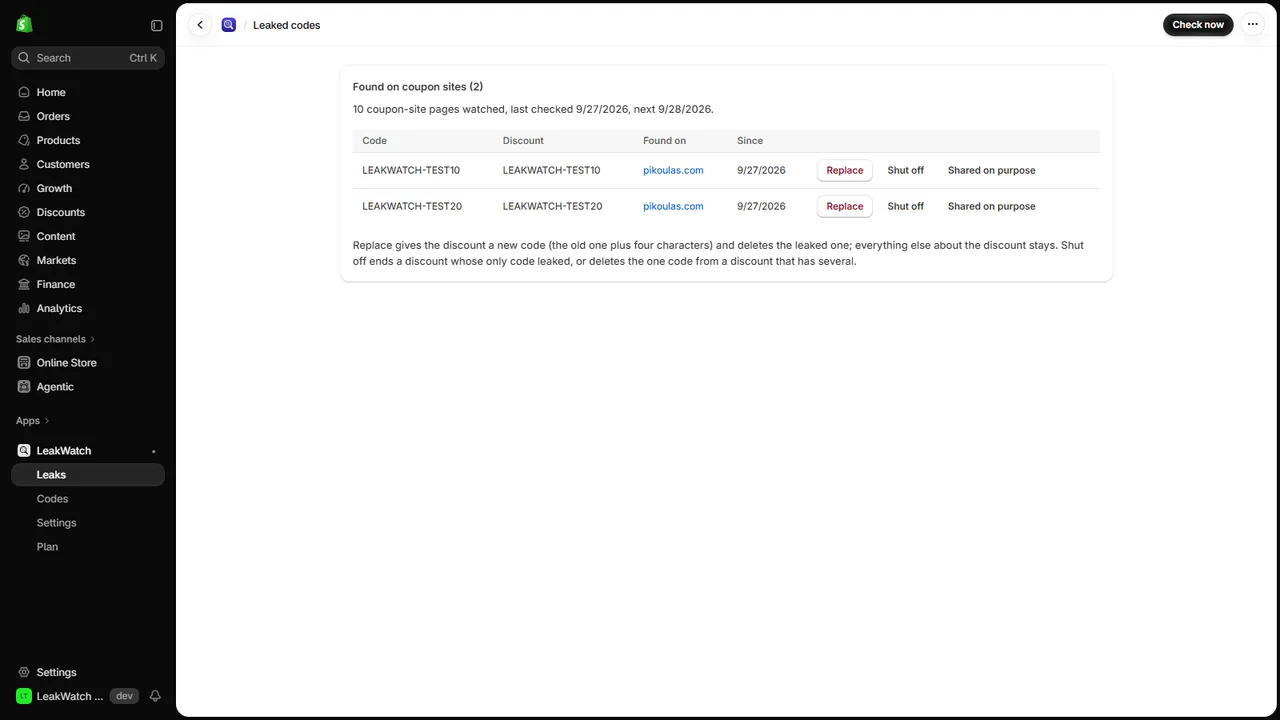
LeakWatch is a Shopify app that finds your store’s discount codes on coupon sites, and shuts the
leaked ones off. A code made for your email list or an influencer ends up on a coupon site, and
from then on anyone about to pay finds it and takes the discount.
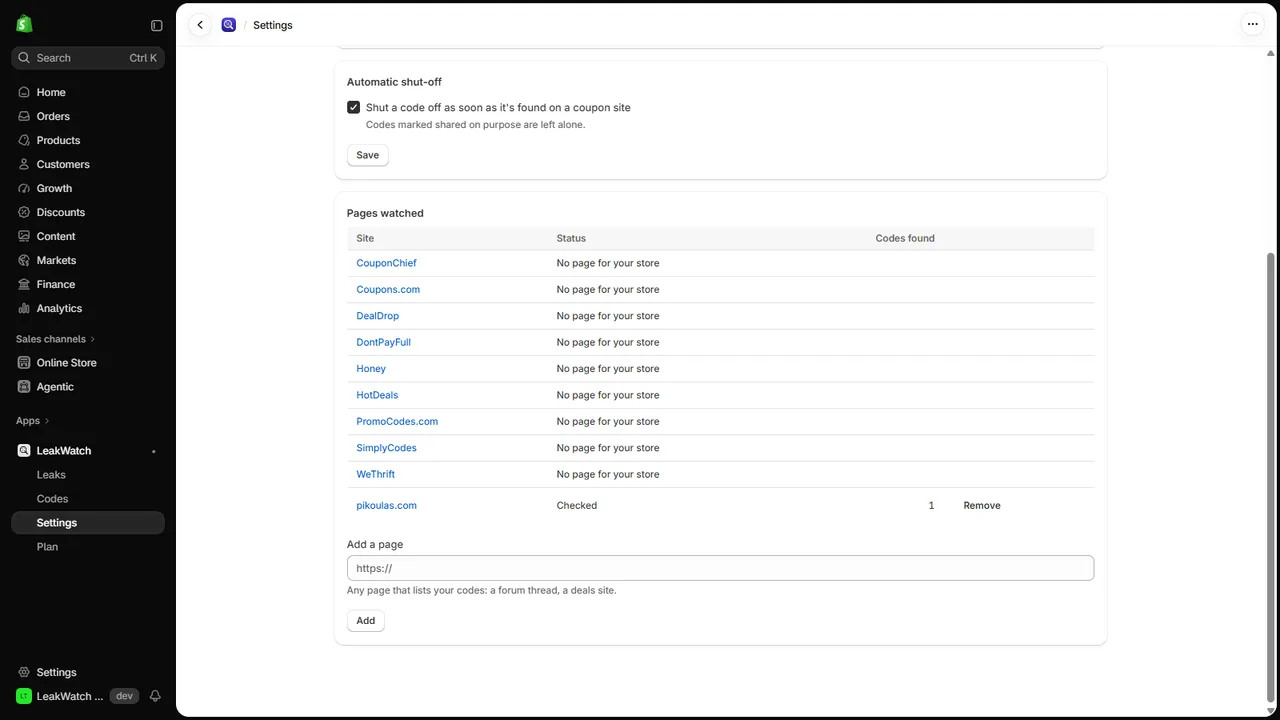
- Checks the coupon sites that list your store: SimplyCodes, DontPayFull, WeThrift, HotDeals,
Coupons.com, PromoCodes.com, Honey, CouponChief and DealDrop, for your own codes.
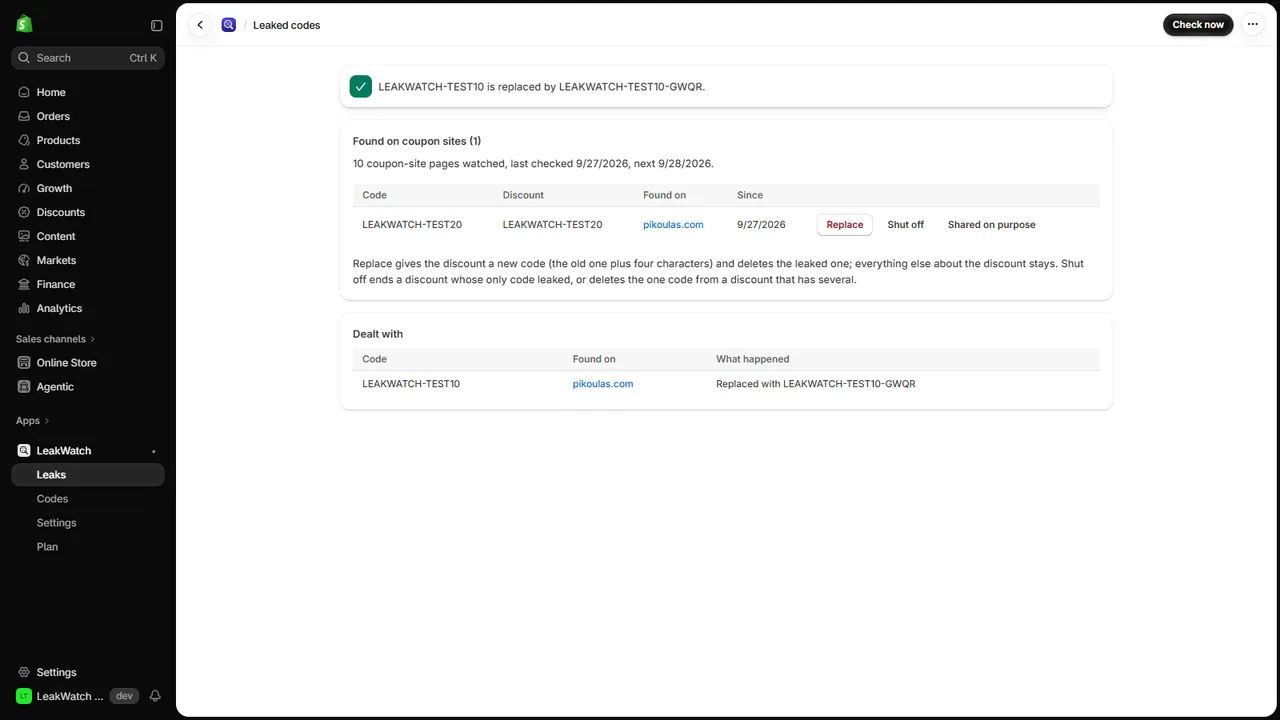
- Replace in one click: the discount gets a new code (the old one plus four characters) and
keeps its value, dates and limits; the leaked code stops working. Send the new one to the
people it was meant for.
- Or shut it off: a discount whose only code leaked is ended; a code that is one of several is
deleted, and the others keep working.
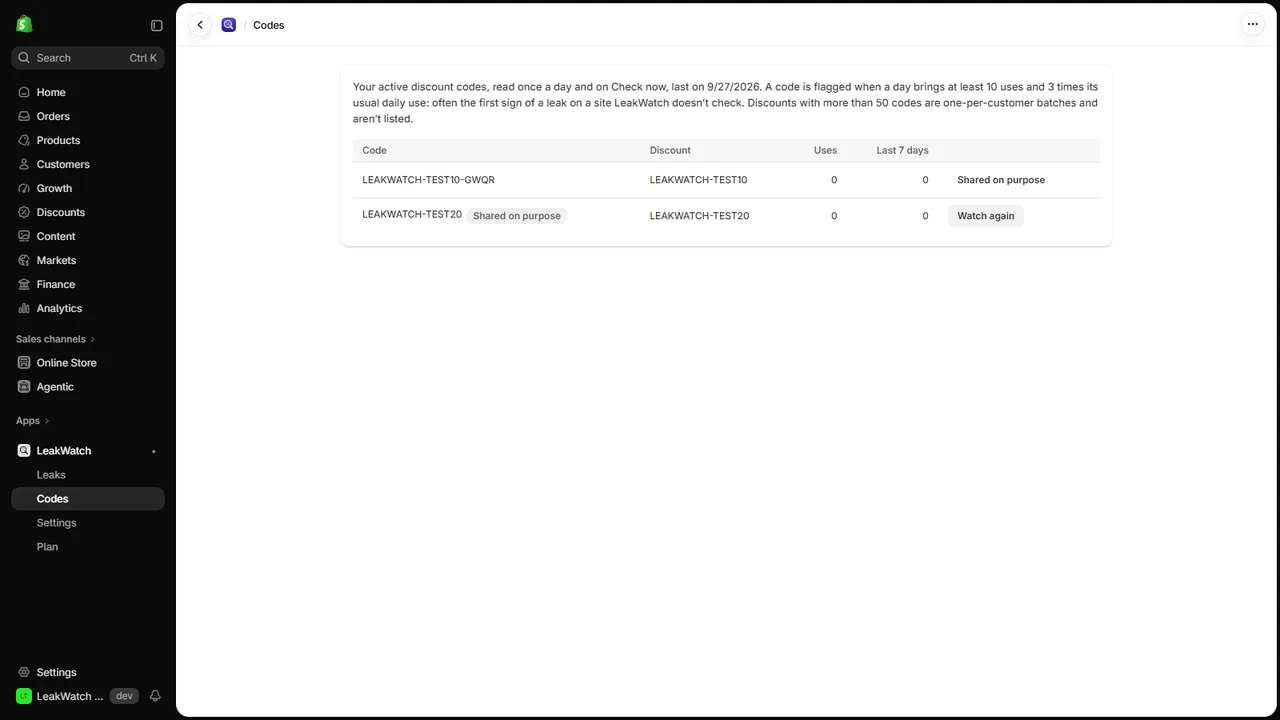
- Shared on purpose: codes you publish yourself are left alone.
- Usage spikes: LeakWatch follows each code’s daily use and flags a code whose use suddenly
jumps, often the first sign of a leak on a site it doesn’t check.
Plans
Billed by Shopify.
- Free: coupon sites checked weekly; replace or shut off by hand.
- Pro: checked daily, any page you add by its address (a forum thread, a deals site), and
automatic shut-off the moment a code is found. $9.99 a month or $99 a year, with a 7-day free
trial. Your price stays the same for as long as you keep the plan; cancel any time from the app.
Good to know
- Some coupon sites keep their codes behind a click or refuse automated checks; LeakWatch checks
the ones that show codes on the page. Settings lists each page and whether it could be read.
- Coupon sites file a store under its web address or its brand name. LeakWatch starts from your
store’s primary domain; if your pages show “No page for your store”, set the name in Settings.
- Codes without a digit are matched only in capitals or as you wrote them, so a code like
WELCOME isn’t found in a sentence that starts with “Welcome”. Codes under four characters
aren’t looked for.
- Discounts with more than 50 codes are batches of one-per-customer codes and are left out.
- LeakWatch can’t stop coupon browser extensions from trying codes at checkout; on Shopify, only
Plus stores can block those.
Try it
This page prints three sample codes so you can see LeakWatch find one on a development store:
LEAKWATCH-TEST10, LEAKWATCH-TEST20 and LEAKWATCH-TEST30. Create a discount with one of
them, add this page’s address in LeakWatch > Settings (Pro), and click Check now on the Leaks page.
Support
Write to spyridwn.pd@gmail.com with your store’s address
(your-store.myshopify.com).
Privacy policy