
PrintFill: QR & Barcode Labels
Create QR and Code 128 labels from Google Sheets™. Download a PDF and named PNGs.
Privacy policy · Terms of service · Support: spyridwn.pd@gmail.com
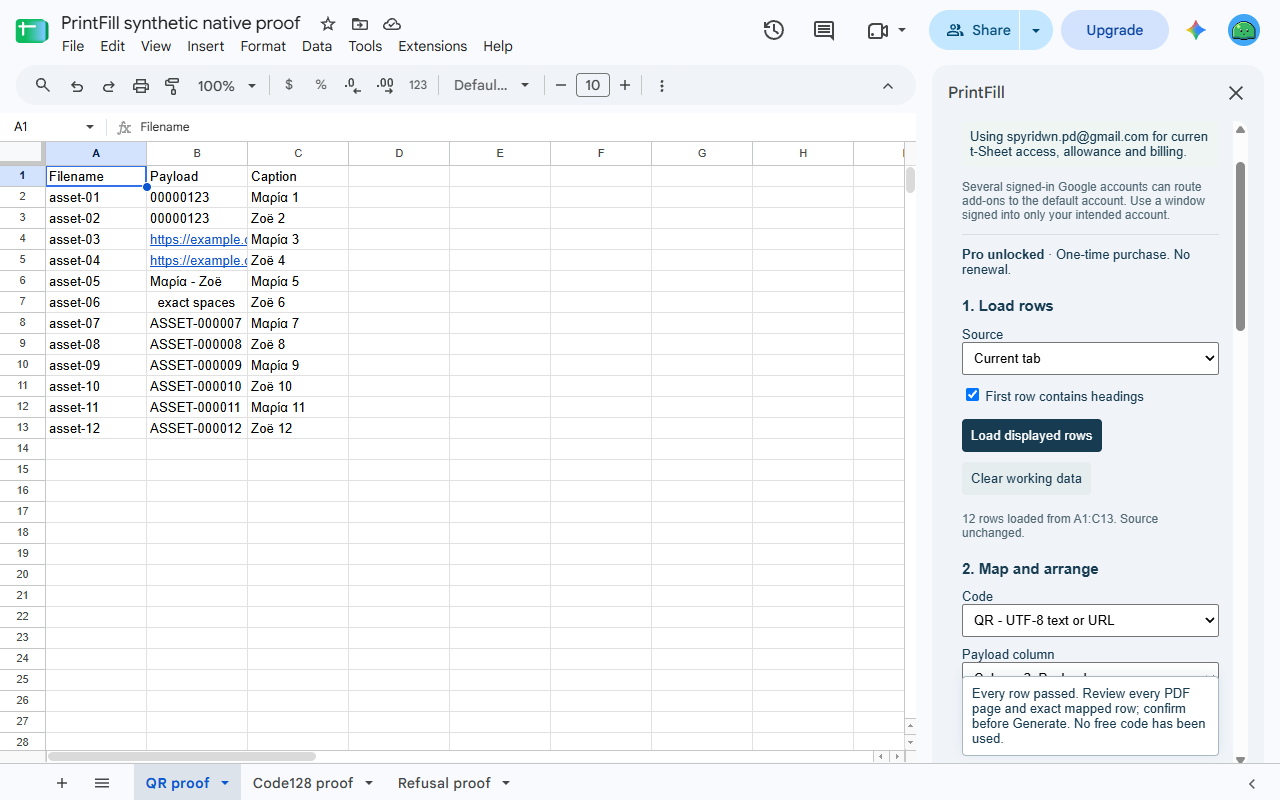
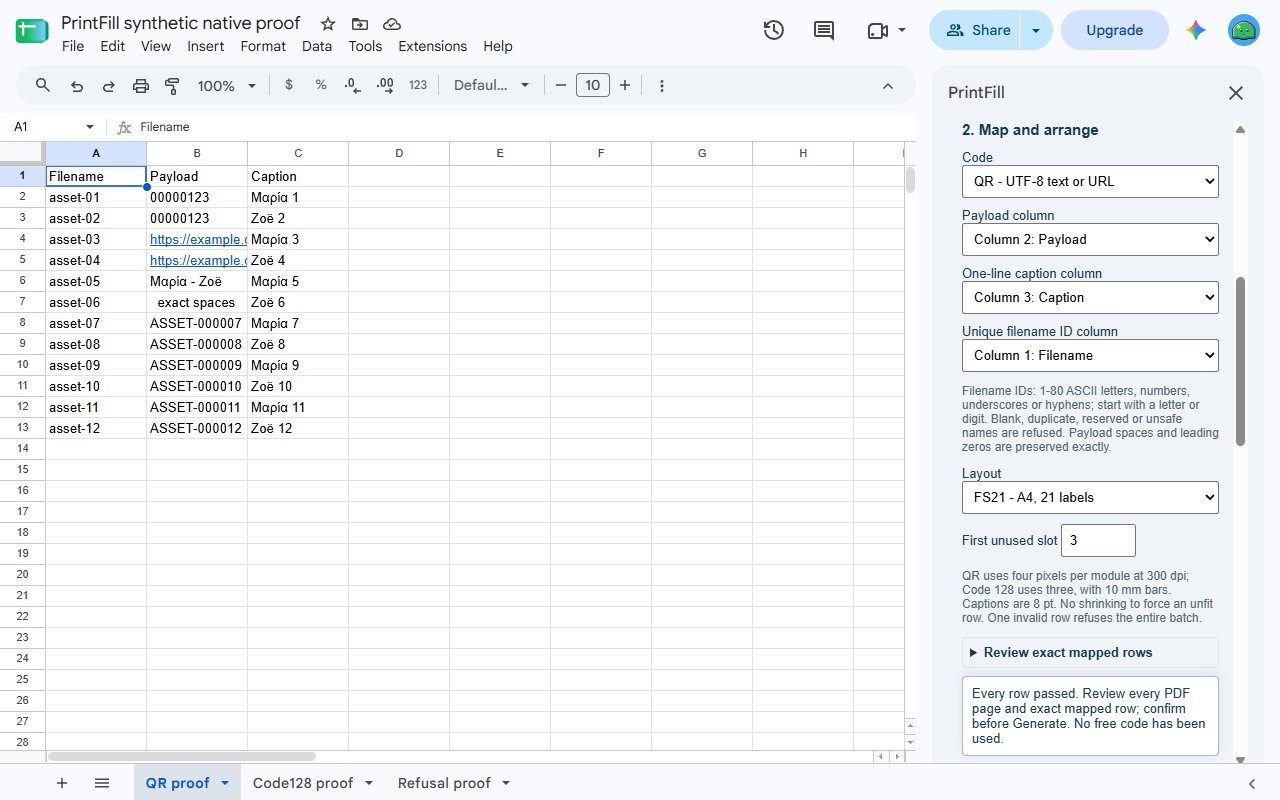
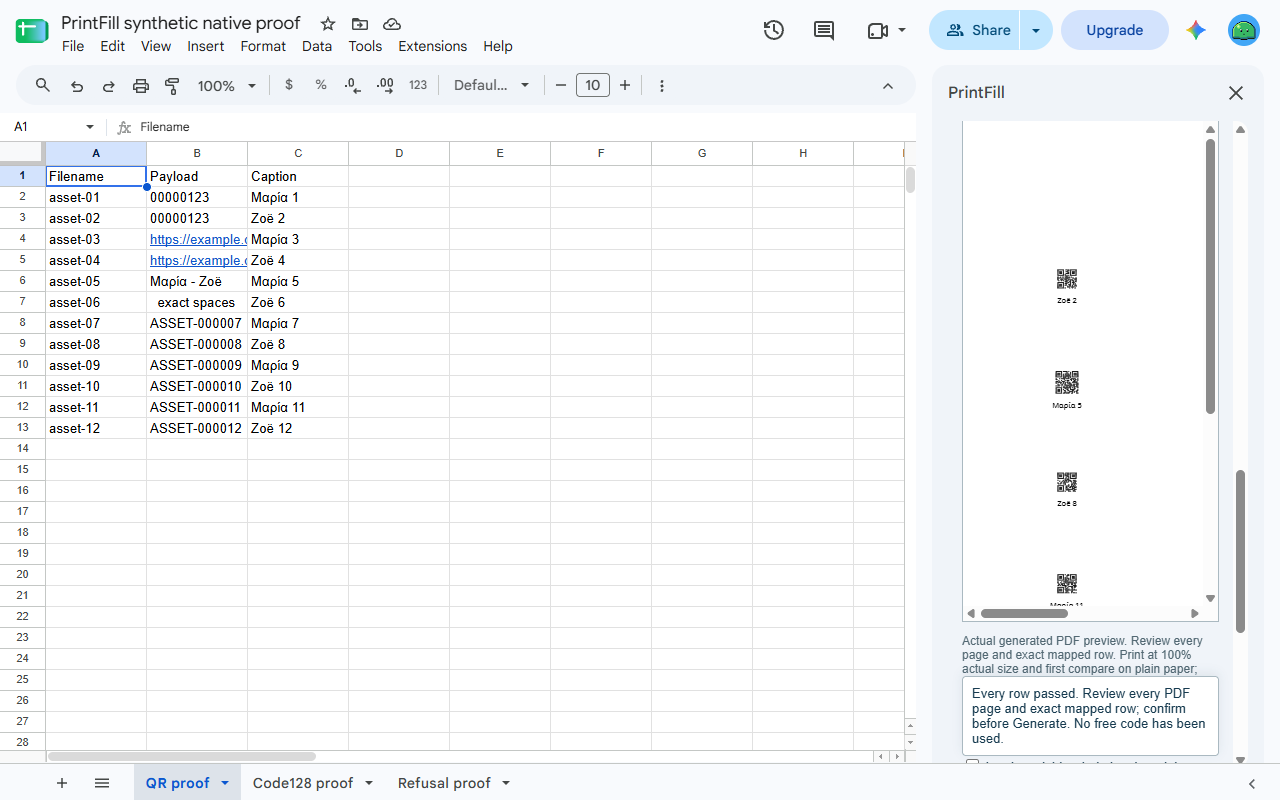
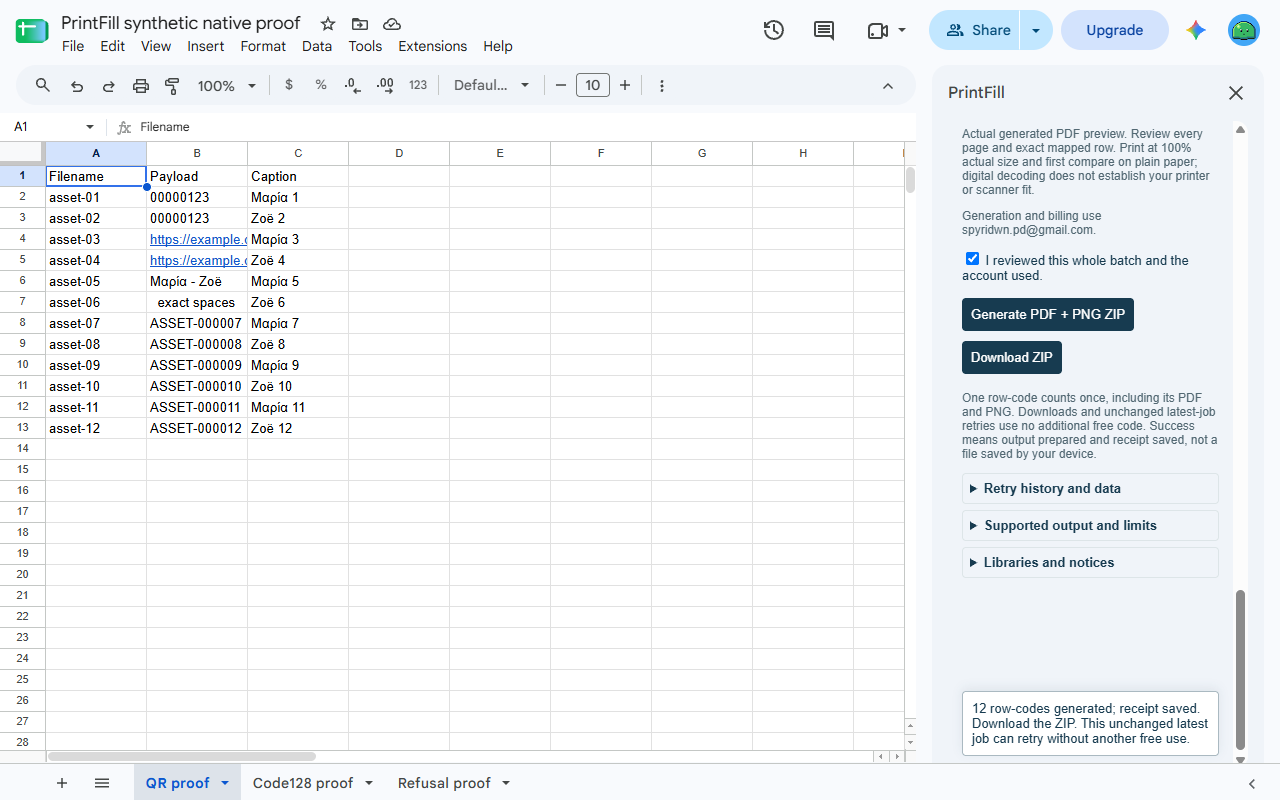
Turn Google Sheets™ rows into QR or Code 128 labels. Map a payload, caption and filename column, check every label, then download a printable PDF and a named PNG for each row in one ZIP. Your source cells stay unchanged.
PrintFill is being prepared for Marketplace release. It is not available to install yet.
Twelve row-codes free, $9 once for more
Preview is free. Generate 12 row-codes in total per Google account, then unlock further generation within the supported limits for $9 once. No subscription or automatic renewal. One row counts once, including its PDF label and PNG; pages, scans and repeated downloads do not add usage. Any tax is shown at checkout; refunds are available within 14 days. The account shown in the sidebar owns its free allowance and paid unlock.
From rows to a ready-to-check label sheet
- Load selected cells or explicitly use the current tab’s used range, with optional headings.
- Map the exact displayed payload, a one-line caption and a unique filename ID. Leading zeroes and significant spaces are preserved; check the displayed source before loading it.
- Choose QR or Code 128 and the exact supported Letter or A4 stock. Start part-way through the first sheet to use remaining labels.
- Check all rows for encoding, supported characters, readable size, caption fit and safe filenames. Review the actual prepared labels before generating.
- Download one ZIP containing
labels.pdf, one captioned PNG per row andmanifest.json. The manifest includes the payload, caption, filename and label position; treat it as source data.
Local code generation
Sheet values come from Google’s services. Encoding, preview and PDF/PNG/ZIP preparation happen in your browser using bundled software and fonts. No AI, broad Drive access, external barcode service or tracked redirect is involved. Stripe handles billing and receives your email, without receiving your spreadsheet content or codes.
Details
A batch supports up to 100 rows, 10 columns, 1,010 selected cells including optional headings and 100,000 serialized displayed-text characters. The PDF and ZIP each have a 50 MiB cap. QR uses UTF-8 and error correction level M. Code 128 accepts printable ASCII characters only. The payload ceiling is 2,000 characters, but the selected label must also fit the actual code. Captions use bundled Noto Sans at 8 pt; unsupported text or overflow must be corrected first. Filename IDs must be unique, 1–80 ASCII letters, digits, underscores or hyphens, starting with a letter or digit. A bad row refuses the whole batch rather than silently dropping labels.
Supported layouts are OnlineLabels OL875, US Letter, 30 labels and Flexi Labels FS21, A4, 21 labels, based on OL875 supplier PDF outlines and FS21 supplier dimensions. Print at Actual size / 100%, test on plain paper and check alignment against your stock. Supplier product codes identify the layout; PrintFill is independent and is not endorsed by these suppliers. Other brands or product codes are not guaranteed to align. Digital previews cannot guarantee a particular printer or scanner; test your printed labels before a full run. No GS1 or retail certification is supplied.
If a batch exceeds your remaining free allowance, select fewer rows or unlock; PrintFill does not silently generate a subset. Usage counts when all outputs are ready and completion is recorded, rather than when your operating system saves a file. A recognized retry or repeated download of the same unchanged latest job does not use the allowance again. After reopening, reselect its source and options to regenerate it. The latest metadata-only retry record has no automatic expiry. Authorizing a different permitted batch replaces it before completion. Forget latest retry receipt removes it without restoring free usage or removing the purchase.
QR codes are static: the encoded payload does not change after generation, and there is no PrintFill scan allowance or redirect service. Check destinations and decoded values before use.
QR Code is a registered trademark of DENSO WAVE INCORPORATED. Google Sheets is a trademark of Google LLC.
Privacy policy · Terms of service · Support: spyridwn.pd@gmail.com