
SplitFill: Split by Column for Google Sheets™
Split a sheet by column value with SplitFill for Google Sheets™. Preview exact groups and create new snapshot tabs. Sources stay unchanged. Two jobs free; $9 once.
Privacy policy · Terms of service · Support: spyridwn.pd@gmail.com
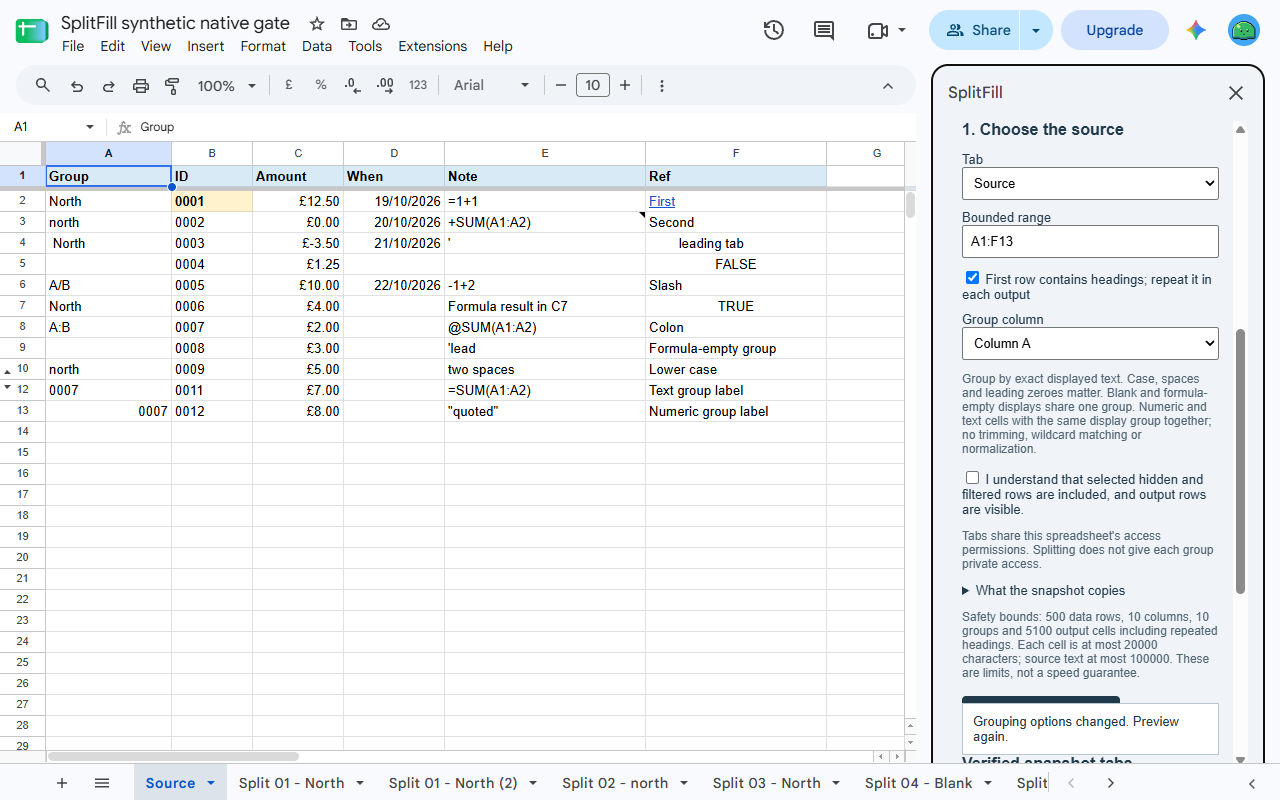
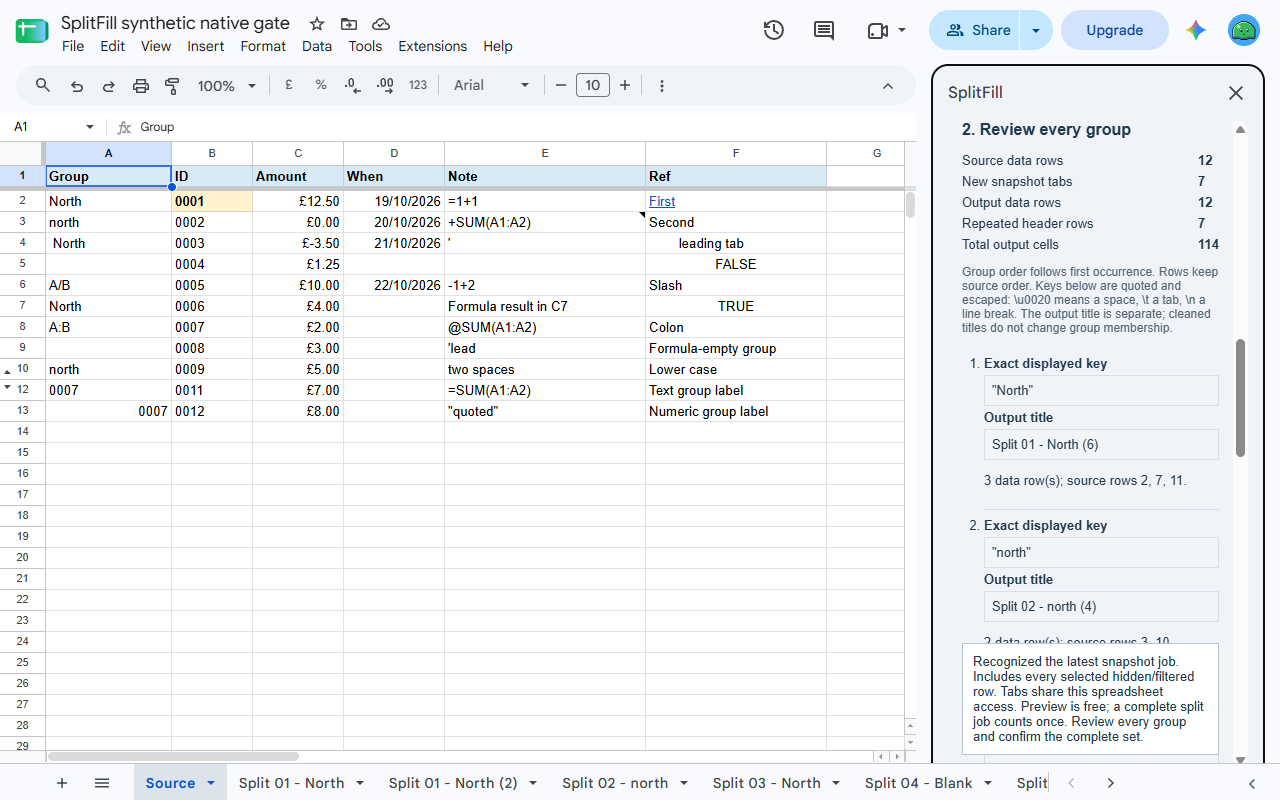
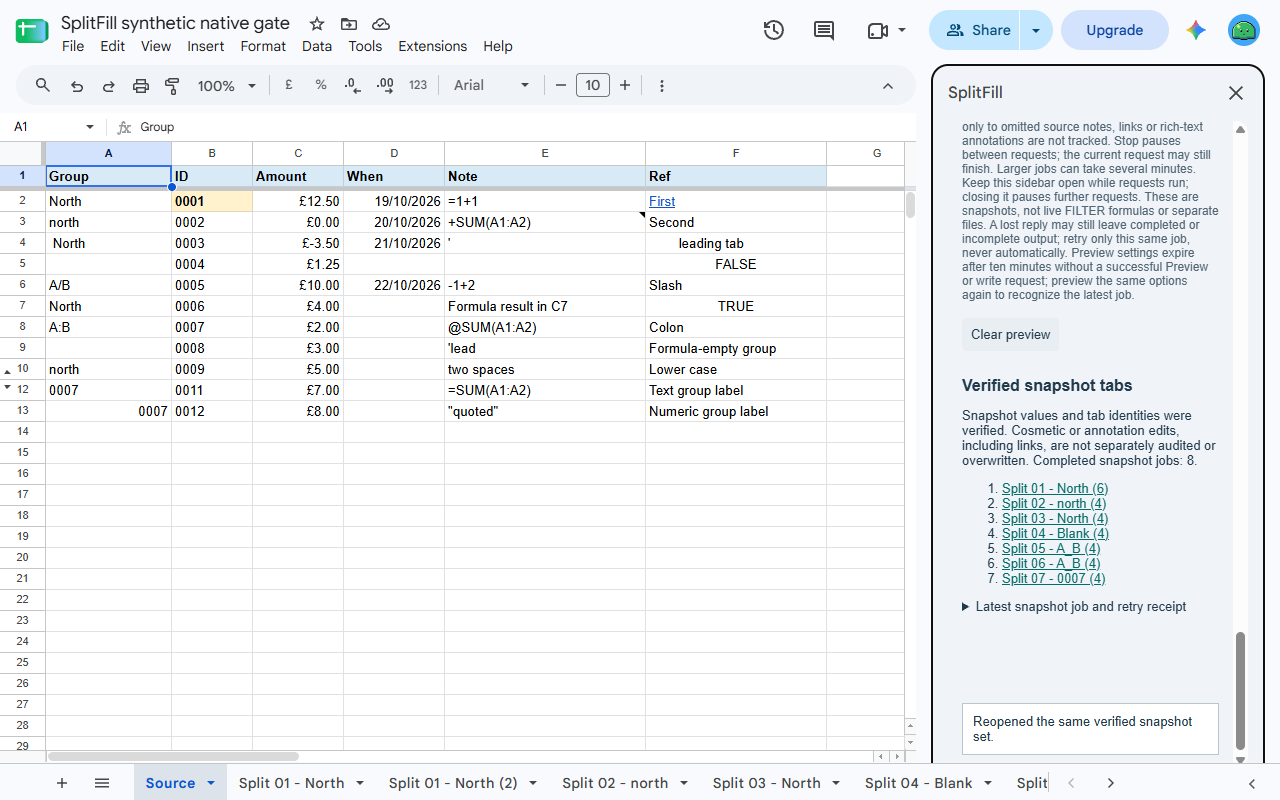
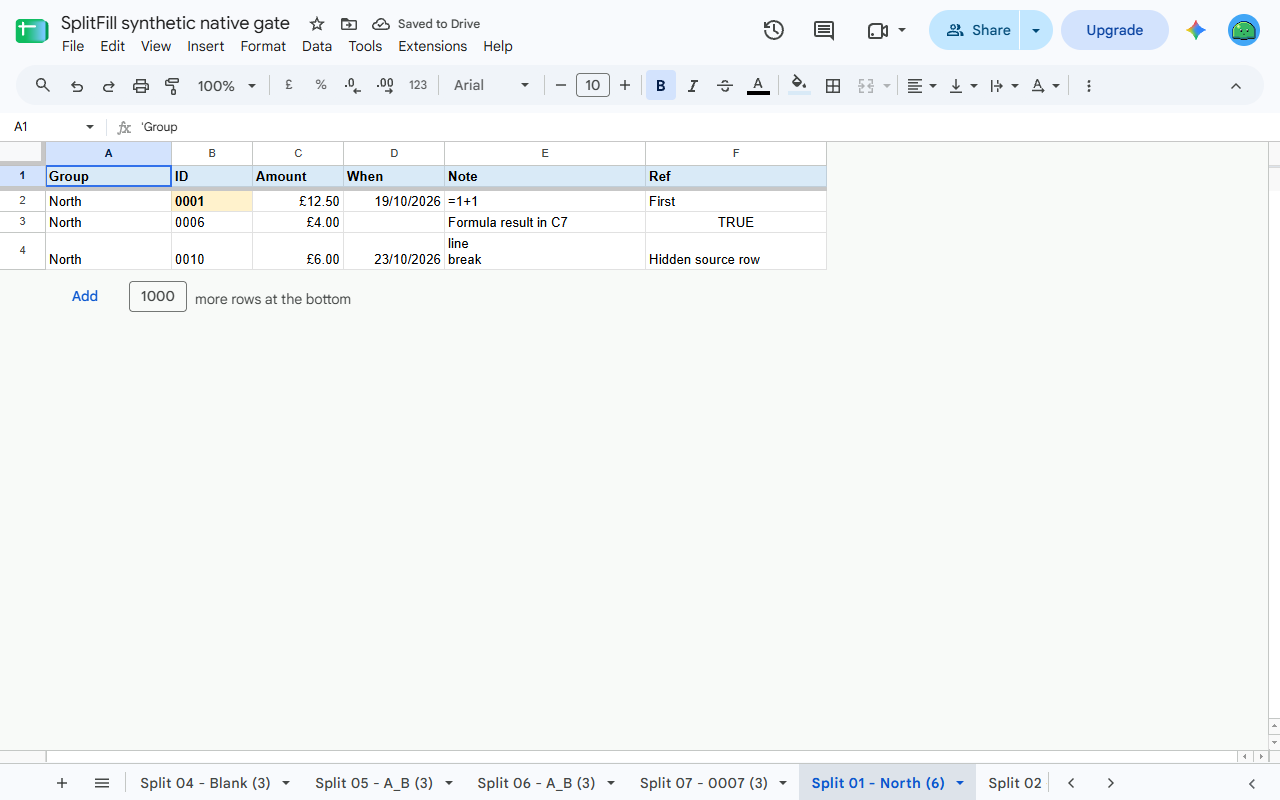
Turn a master list into one tab per team, class or region. Choose a range and grouping column, review every group and output name, then create a set of snapshot tabs in the same Google Sheets™ spreadsheet. Your source stays unchanged.
SplitFill is being prepared for Marketplace release. It is not available to install yet.
Two complete jobs free, $9 once for more
Preview is free. Create two complete sets of group tabs in total per Google account, then unlock more within the supported limits for $9 once. One completed set counts as one job, regardless of its number of tabs; recognized retries do not count again. No subscription or automatic renewal. Any tax is shown at checkout; refunds are available within 14 days.
From one list to a reviewed set of tabs
- Choose one explicit rectangular range, with optional column headings, and one grouping column.
- Review each group’s exact displayed label, source rows, row count and proposed tab name.
- Confirm that all selected rows are included, including hidden and filtered rows.
- Create new tabs with each group’s rows in original order and the optional header repeated. Existing tabs are not overwritten, even when a proposed name is already taken.
The Google account shown in the sidebar owns its allowance and paid unlock. Source access, generation and checkout check that account. Work in a window signed into only your intended account if Google routes a multiple-login session incorrectly.
Snapshots that keep values useful
Grouping uses exact displayed text: case and spaces matter. Blank labels form their own group.
A number displayed as 0007 and text 0007 belong to the same group, while retaining their own
value types in the output. SplitFill does not restore leading zeroes already lost in the source.
At creation, outputs copy calculated values, number/date formats and supported base cell styles, with column widths and an optional frozen header. Formulas become their calculated values. These are snapshots: later source changes do not update them.
Embedded source hyperlink targets, notes, validation, conditional formatting, filters, hidden states, protection and mixed rich-text decoration are not copied. Google Sheets may detect and style plain URL text in the output as it normally does. Hidden source rows become visible in their output. This is not a complete sheet copy.
Details
A job supports 1–500 data rows, up to 10 columns, 10 groups and 5,100 output cells including repeated headers. An optional heading row is additional to the data-row limit. The same limits apply to free and paid use; text-size and spreadsheet-allocation safeguards also apply. A tested case at these bounds took about 100 seconds from Preview to completion. Actual time varies with your data and Google’s services; this is not a speed guarantee.
Merged source cells, unsupported values, formula results resembling cell errors and oversized jobs are refused rather than silently dropping rows. Changes to source values/formulas, base styles, column widths or chosen settings require a fresh preview. Changes only to omitted notes, links or rich-text annotations do not invalidate it. Review the result before relying on it.
Completion/recovery checks verify typed values, displayed text, absence of formulas, managed grid dimensions and source/tab identity/ownership. Formatting/annotation edits are not independently audited or overwritten and may remain when these checks pass.
Pause between requests or resume the same unchanged latest job after reopening. A recognized retry does not use another free job. Keep checked output data unchanged until completion. See the terms before forgetting a receipt or abandoning unfinished work; existing tabs are preserved.
Every new tab follows the spreadsheet’s existing sharing permissions. Splitting a class or customer list into tabs does not make those groups private or distribute separate files. There is no cross-file creation, automatic refresh, sharing service or email delivery.
Processing uses Google’s services, with no AI, broad Drive access or outside data-processing service. Stripe handles billing email and payment, without receiving your rows or group labels.
Google Sheets is a trademark of Google LLC.
Privacy policy · Terms of service · Support: spyridwn.pd@gmail.com