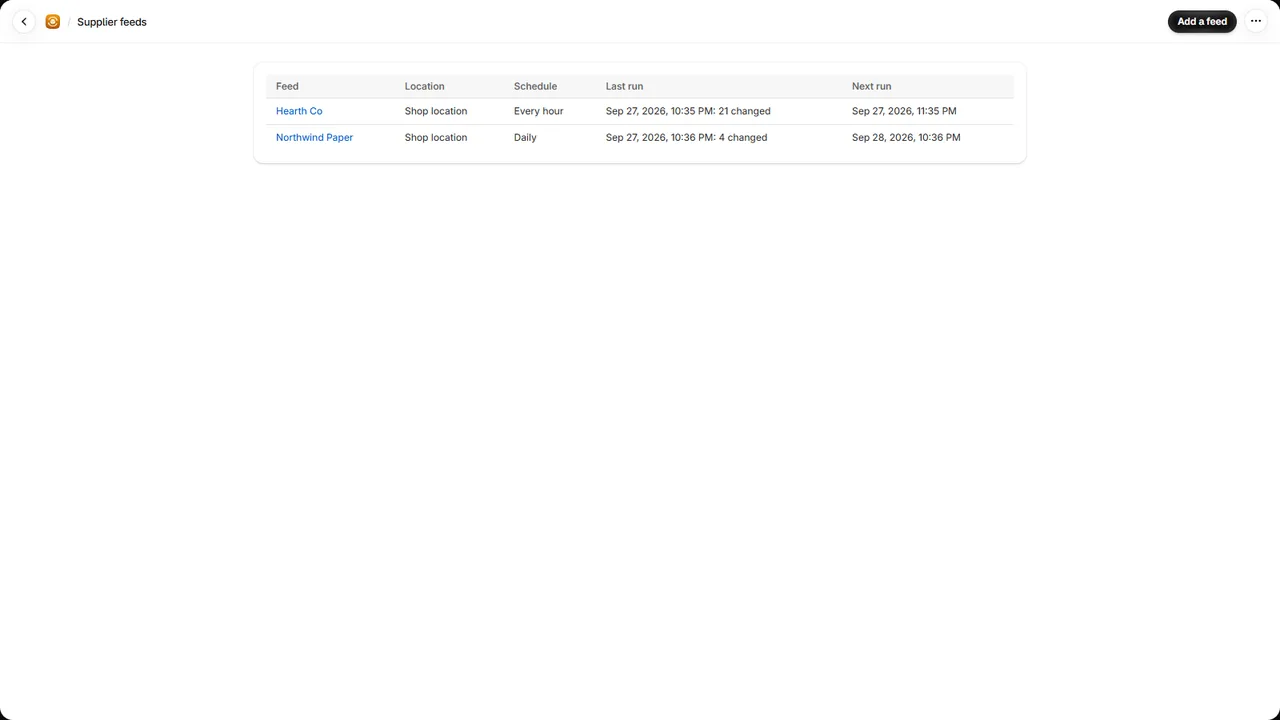
Stockfeed is a Shopify app that keeps your stock in step with your suppliers. Most suppliers
publish their stock as a file: a CSV at a link, a shared Google Sheet, a file in Dropbox. Stockfeed
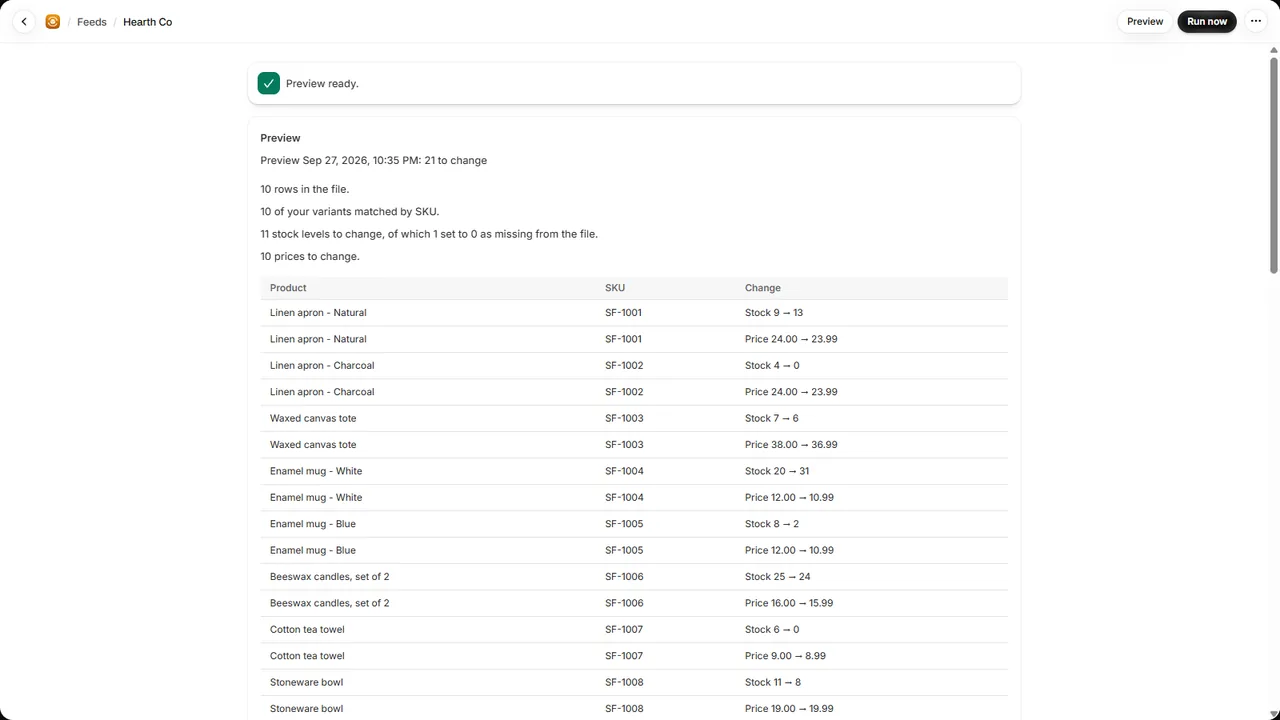
reads it on a schedule, matches its rows to your products by SKU and sets their stock, so you
don’t sell what your supplier no longer has.
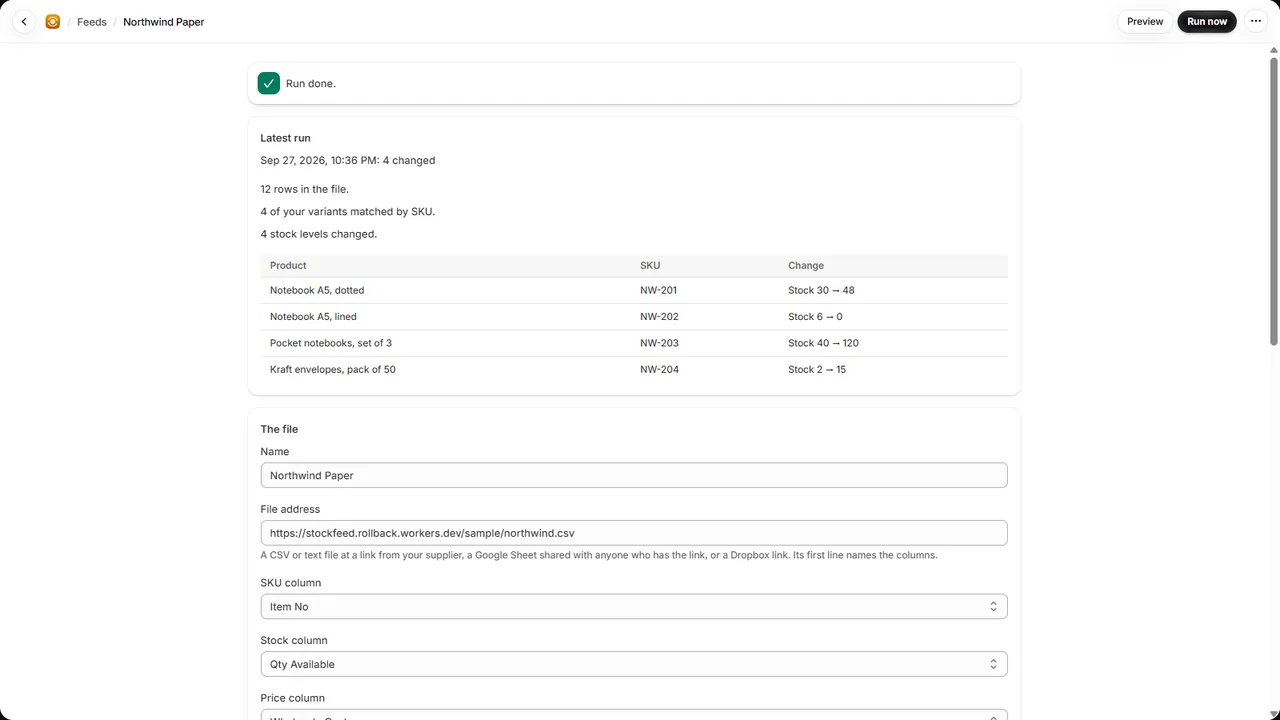
- One screen to set up: paste the file’s address. Stockfeed reads its first line and picks the
SKU, stock and price columns itself, whatever the file calls them, with commas, semicolons or
tabs between them and either decimal style.
- Preview first: see every change a run would make before it makes any. Each run lists what
it changed.
- Reads what suppliers write: “12 pcs” is 12, “>50” is 50, “out of stock” is 0. Rows it can’t
read are counted and skipped.
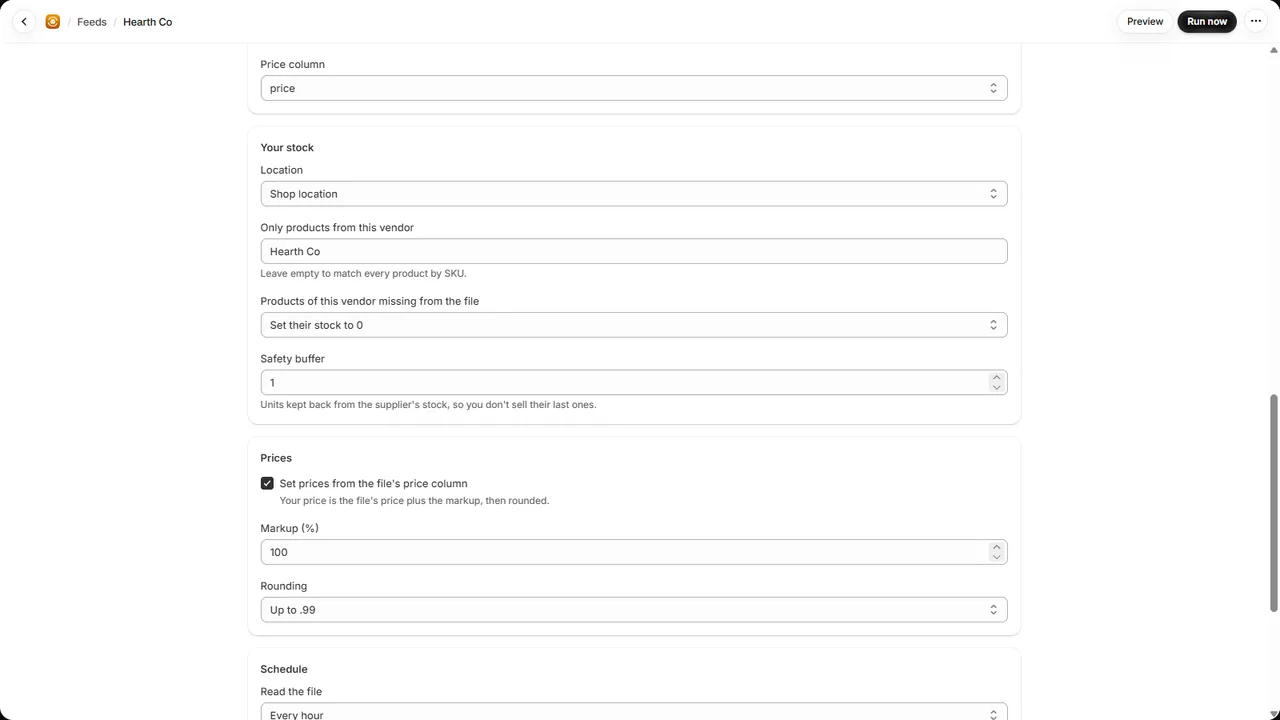
- Your rules: the location to stock, only one vendor’s products, a safety buffer kept back,
and whether that vendor’s products missing from the file go to 0.
- Prices: set your prices from the file’s cost, with your markup, rounded up to .99 or a whole
amount.
Plans
Billed by Shopify.
- Free: one feed of up to 500 rows, read daily.
- Pro: up to five feeds of 25,000 rows each, read as often as every hour, and prices from the
file. $14.99 a month or $149 a year, with a 7-day free trial. Your price stays the same for as
long as you keep the plan; cancel any time from the app.
Good to know
- The file has to be reachable at a link without signing in: a Google Sheet shared with anyone who
has the link, a Dropbox share link, or a file on the supplier’s own server. FTP, Excel and XML
files aren’t read yet.
- Stockfeed changes stock and prices only; it doesn’t create products from the file.
- A variant that doesn’t track its stock at the feed’s location is left alone and counted in the
run’s summary.
- Each run sets your stock to the supplier’s number, less the buffer. Orders between runs lower it
as usual, and the next run sets it to the supplier’s figure again.
Try it
Two sample supplier files, for a development store:
supplier.csv (SKUs SF-1001 to
SF-1010) and northwind.csv
(semicolons and decimal commas). Give a product one of their SKUs, add a feed with the file’s
address and click Preview.
Support
Write to spyridwn.pd@gmail.com with your store’s address
(your-store.myshopify.com) and, if it’s about a feed, the file’s address.
Privacy policy