Count, sum and average colored cells by fill color or font colour, from a sidebar or as formulas like =SUMBYCOLOR(A2:A50, D1) that refresh when a color changes. Only reaches this spreadsheet.
ColorSum is an add-on for Google Sheets™ that counts, sums and averages cells by their fill or text
color, from a sidebar or with formulas that stay up to date.
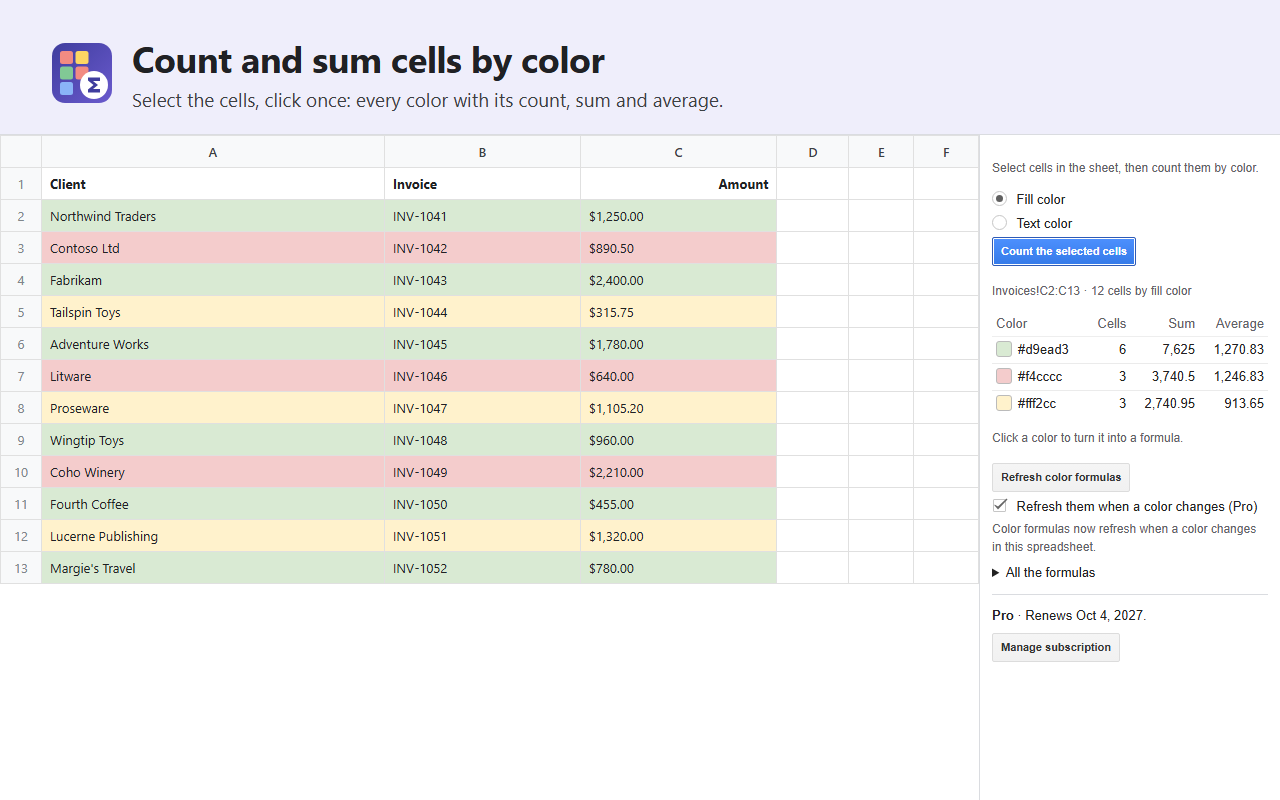
From a sidebar: select cells and click Count: every color in them, with its number of cells
and the sum and average of their numbers.
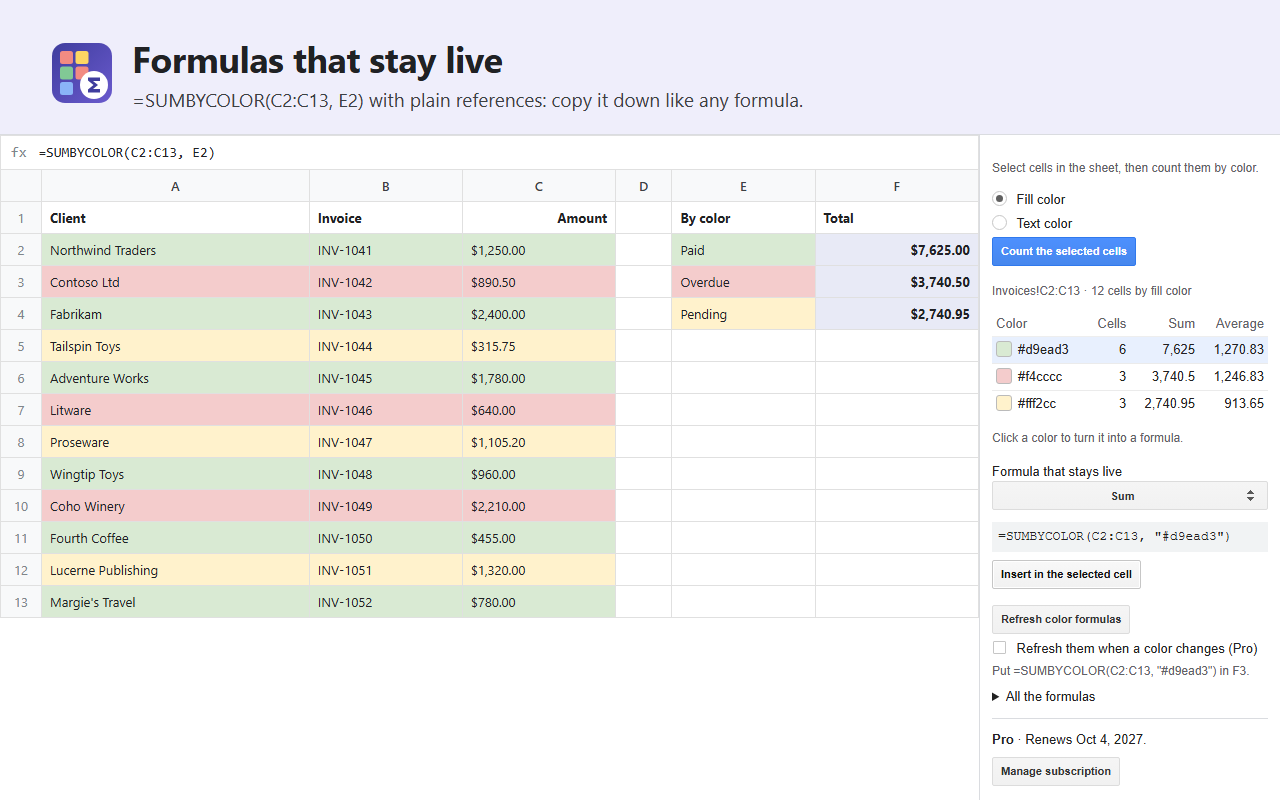
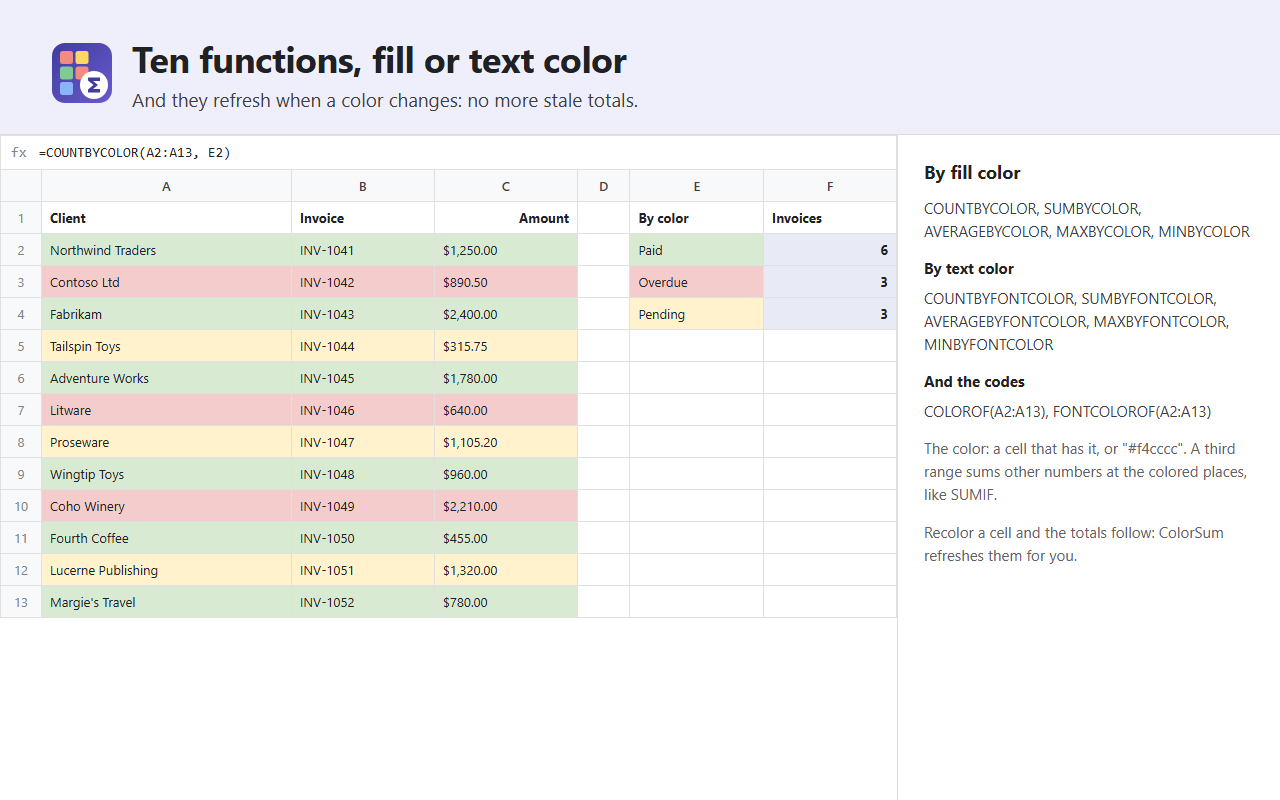
As formulas (Pro): =COUNTBYCOLOR(A2:A50, D1), =SUMBYCOLOR(A2:A50, "#f4cccc"),
=SUMBYCOLOR(A2:A50, D1, C2:C50) to sum another column, AVERAGEBYCOLOR, MAXBYCOLOR,
MINBYCOLOR, the same five by text color (COUNTBYFONTCOLOR…), and =COLOROF(A2) for a
cell’s color code. The color is a cell that has it or a hex code; the ranges are ordinary
references you can copy down.
Refreshed when a color changes (Pro): Google Sheets™ does not recalculate formulas when only
a color changes; tick one box and ColorSum does it for you, or refresh from the menu.
Narrow access: ColorSum only reaches the spreadsheet you use it in, never your other files.
Colors set by conditional formatting are not visible to add-ons, so ColorSum counts the colors
you apply yourself.
Plans
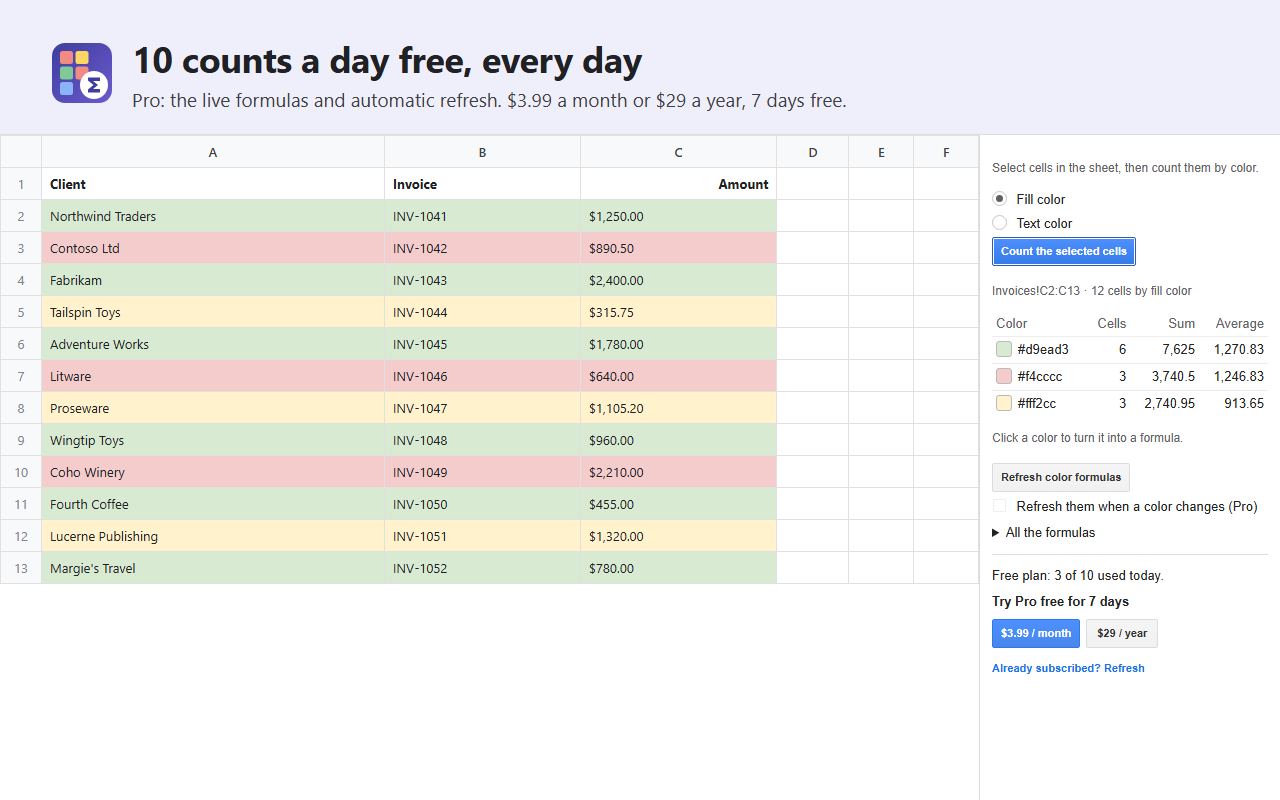
Free: 10 counts a day from the sidebar, every day.
ColorSum Pro: unlimited counts, the formulas and automatic refresh. $3.99 a month or $29 a
year, with a 7-day free trial. Cancel any time from the sidebar.