
DiffFill: Compare Two Tabs for Google Sheets™
Compare sheets by key with DiffFill for Google Sheets™. Map columns, preview added, removed and changed rows, then create a separate report. Three reports free; $9 once.
Privacy policy · Terms of service · Support: spyridwn.pd@gmail.com
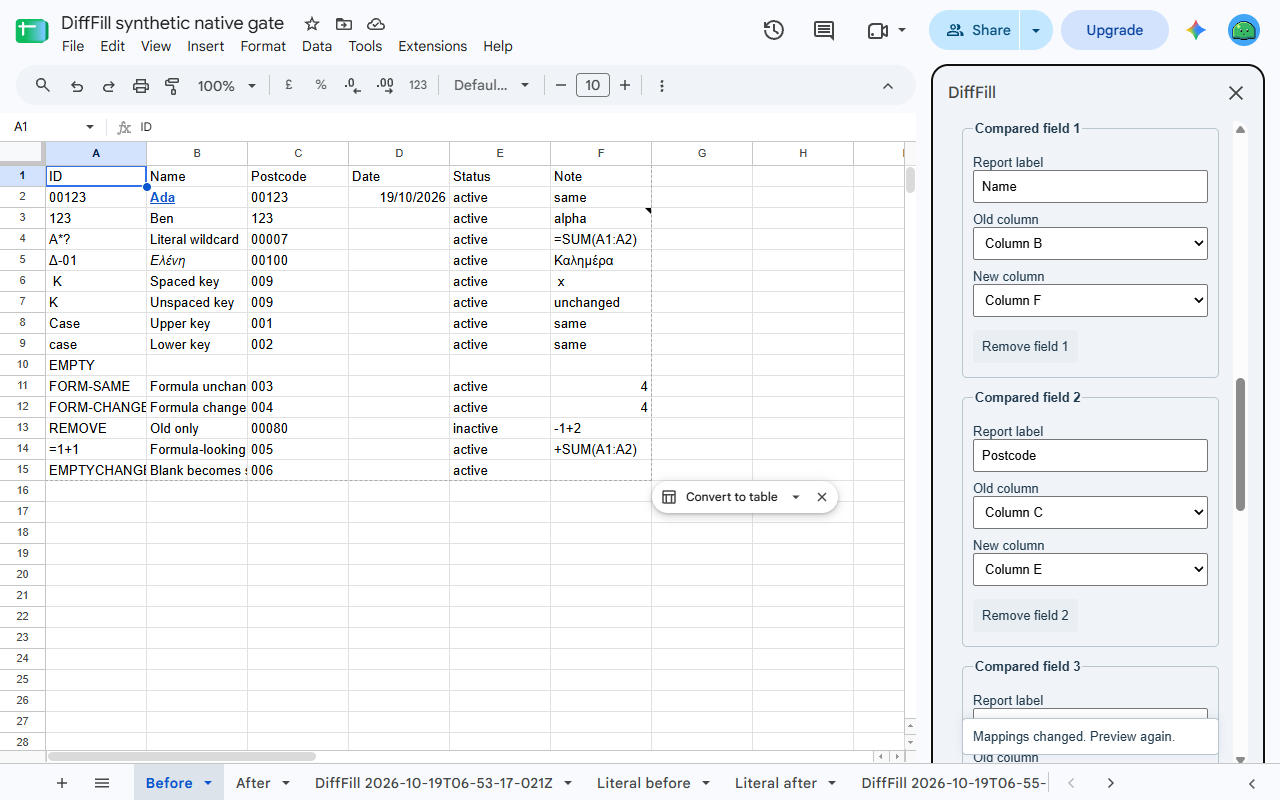
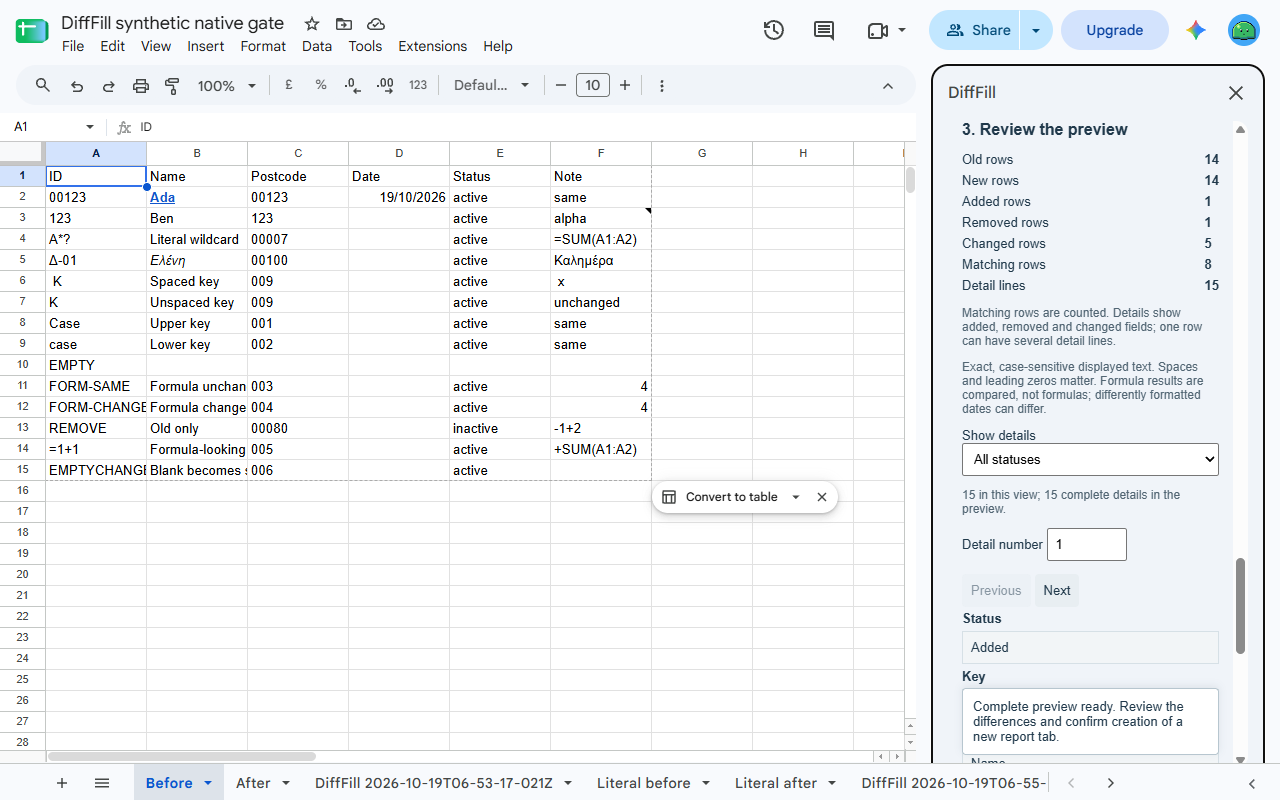
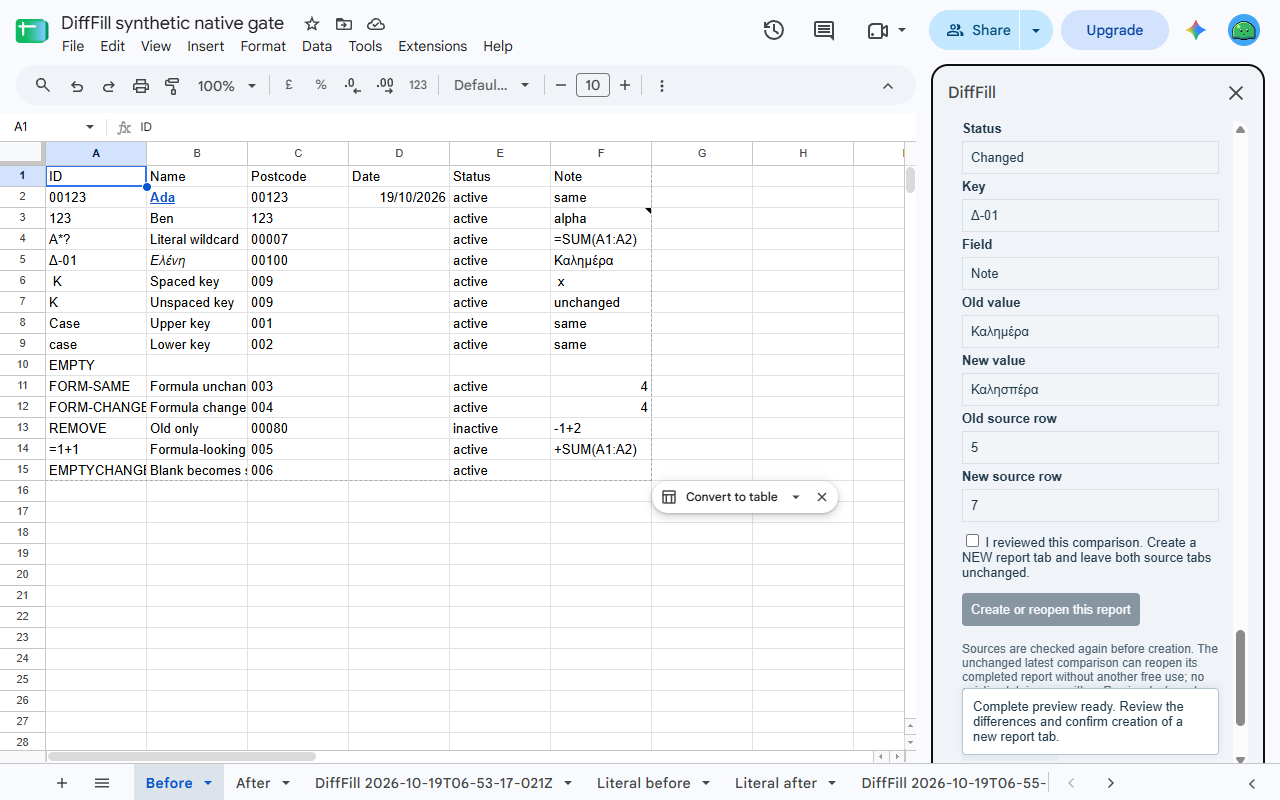
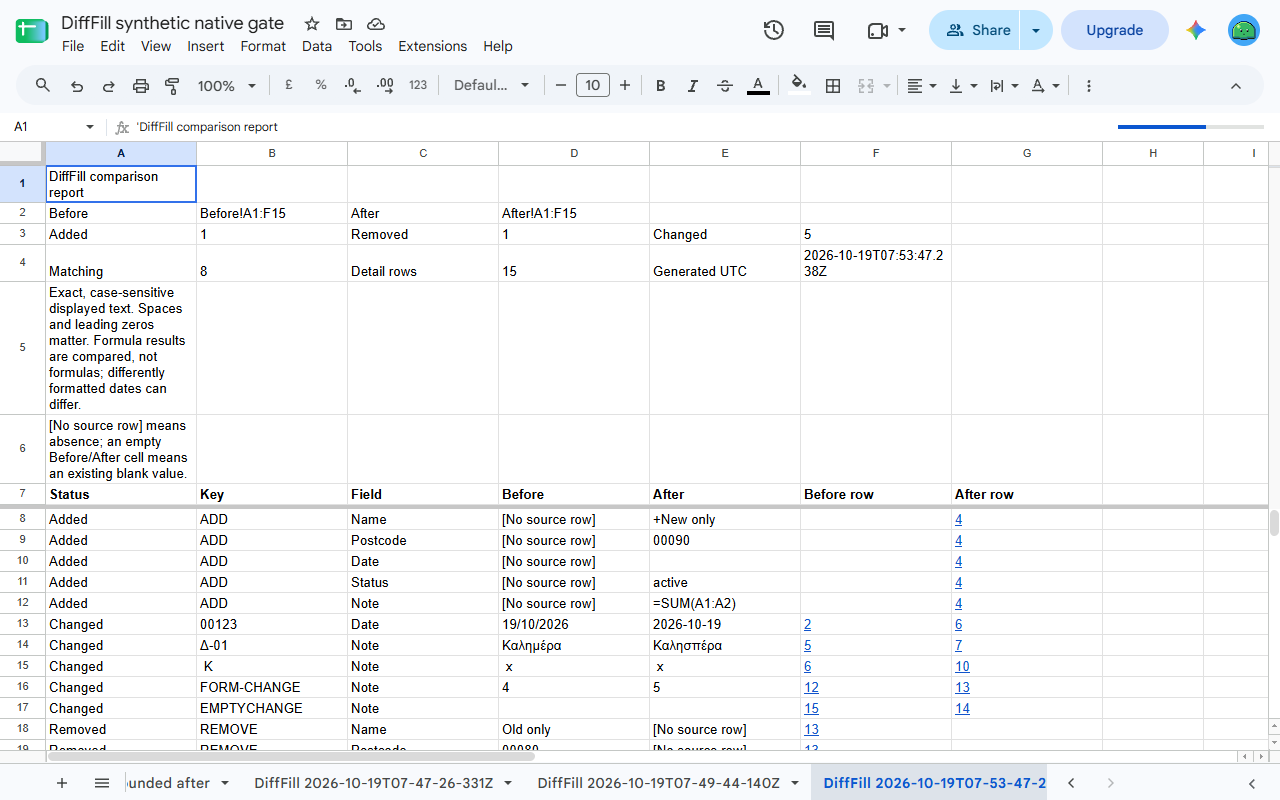
Find what changed between two Google Sheets™ tabs. Choose a unique key on each side, map the columns you want to compare, preview the differences and create a separate report tab. Both source tabs stay unchanged.
DiffFill is being prepared for Marketplace release. It is not available to install yet.
Three reports free, $9 once for more
Preview is free. Generate three reports in total per Google account, then unlock further reports within the supported limits for $9 once. No subscription or automatic renewal. Any tax is shown at checkout; refunds are available within 14 days. The account shown in the sidebar owns its allowance and paid unlock.
Compare an old list with a new list
- Choose two different tabs in the current spreadsheet and explicit ranges, with optional headings.
- Pick unique key columns, such as record IDs. Map each compared field’s old and new column; columns can be in different positions and rows can be sorted differently.
- Preview added, removed, changed and matching row counts. Browse all field differences with exact before/after text and source row numbers; filter details by status.
- Confirm a new report tab, with links back to source rows. No existing source or report is overwritten. Reports are snapshots; DiffFill does not merge changes or synchronize lists.
Exact displayed values
DiffFill compares text as displayed in the sheet, including case, spaces and leading zeroes still present there. It does not restore zeroes already lost to numeric conversion. Differently formatted dates or numbers can count as different even if their underlying values are equal. It does not compare formula definitions, formatting, notes or validation rules, or use fuzzy matching. Align the source display first if you need a different comparison rule.
Blank or whitespace-only keys, duplicate keys, invalid mappings, changed sources and oversized jobs refuse the whole comparison. Details are not silently truncated or rows dropped. Review the result before relying on it; DiffFill cannot decide which source is correct.
Details and retries
Each source supports 1–5,000 data rows, up to 21 columns and 105,021 cells including an optional heading row. Map up to 20 compared fields. Each displayed cell is at most 20,000 characters; combined source text is at most 2,000,000 characters. A report supports up to 2,000 detail lines and 4,000,000 text characters. These are bounds, not a speed guarantee; Google’s service limits apply to free and paid use.
A retry of the unchanged latest report reopens it without using another free report.
Comparison and report creation use Google’s services. No AI, broad Drive access or outside comparison service is used. Stripe receives billing email, without receiving your tabs, keys, mappings or reports. Existing spreadsheet sharing also applies to a new report tab, which contains copied comparison data.
Google Sheets is a trademark of Google LLC.
Privacy policy · Terms of service · Support: spyridwn.pd@gmail.com