EventFill: Sheets™ to Calendar™ & Import Events
Create Google Calendar™ events from sheet rows. Update linked events when plans change, or import a calendar to a sheet.
Privacy policy · Terms of service · Support: spyridwn.pd@gmail.com
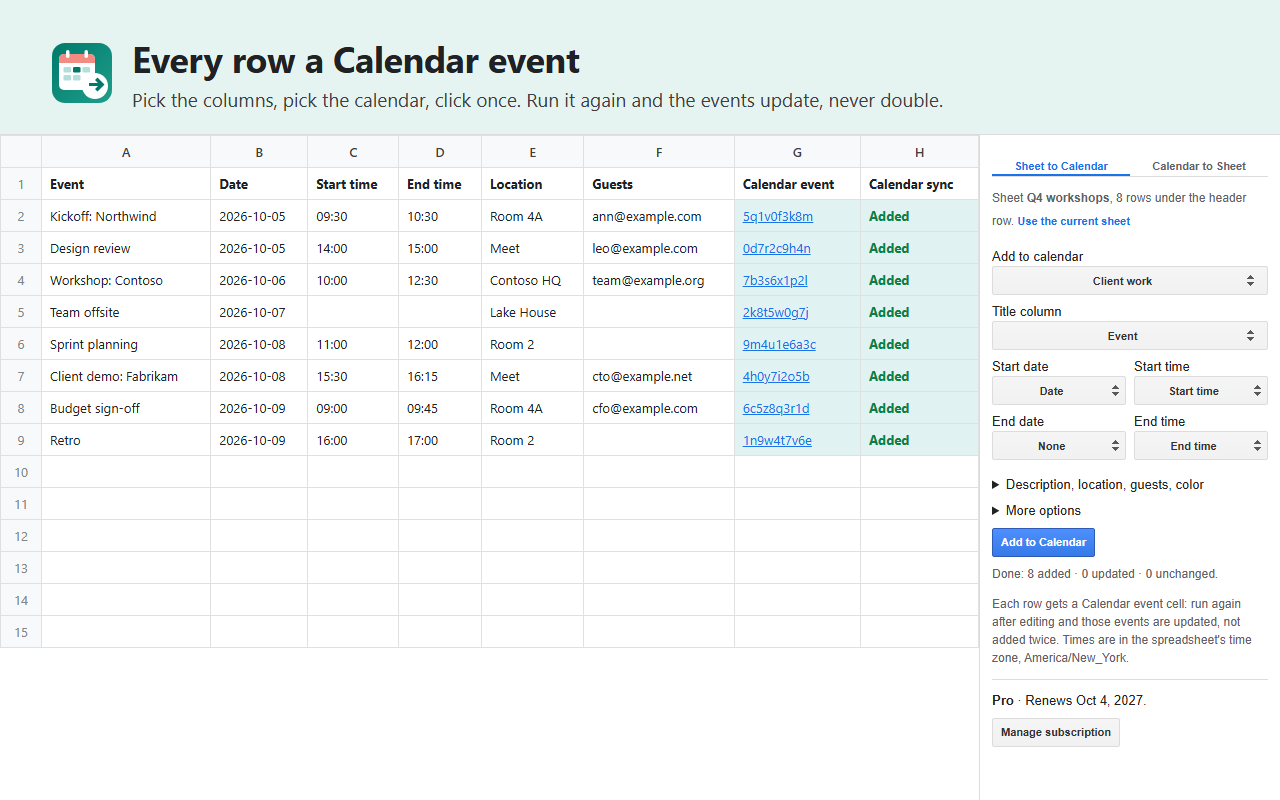
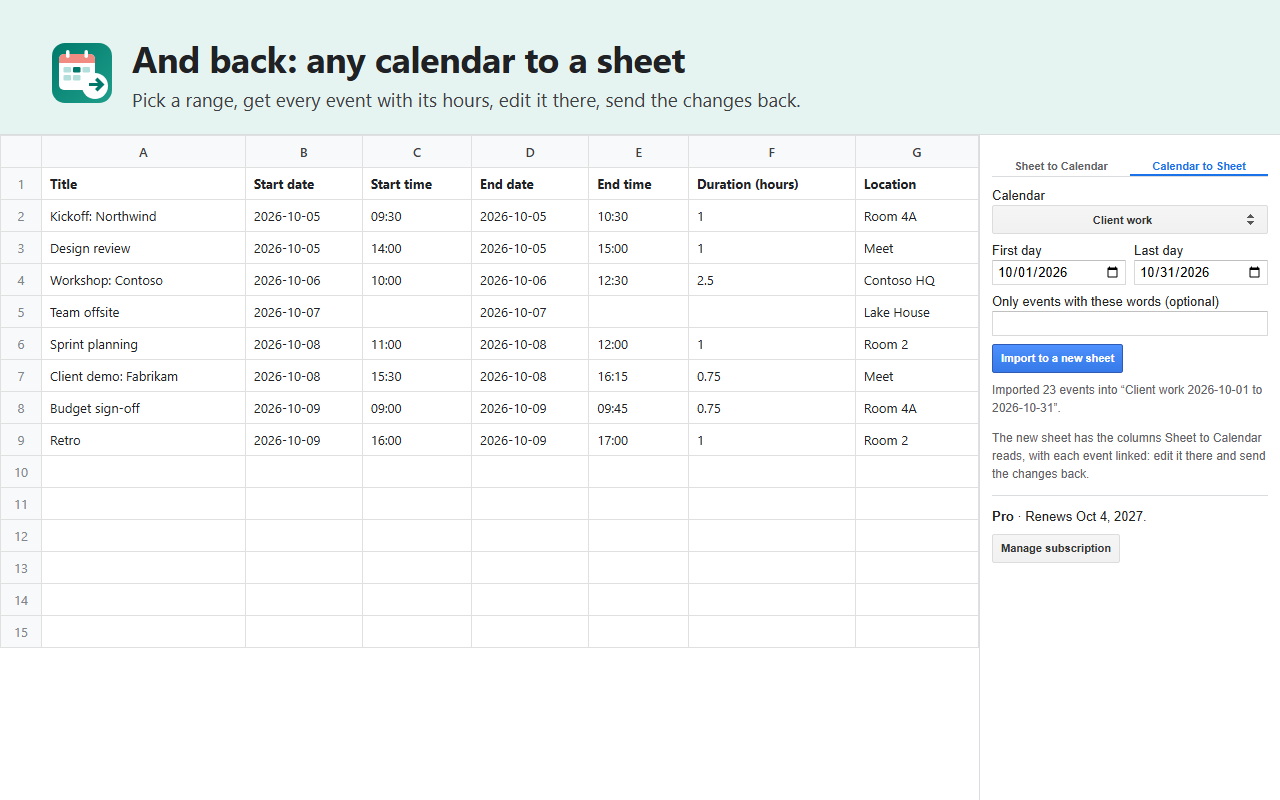
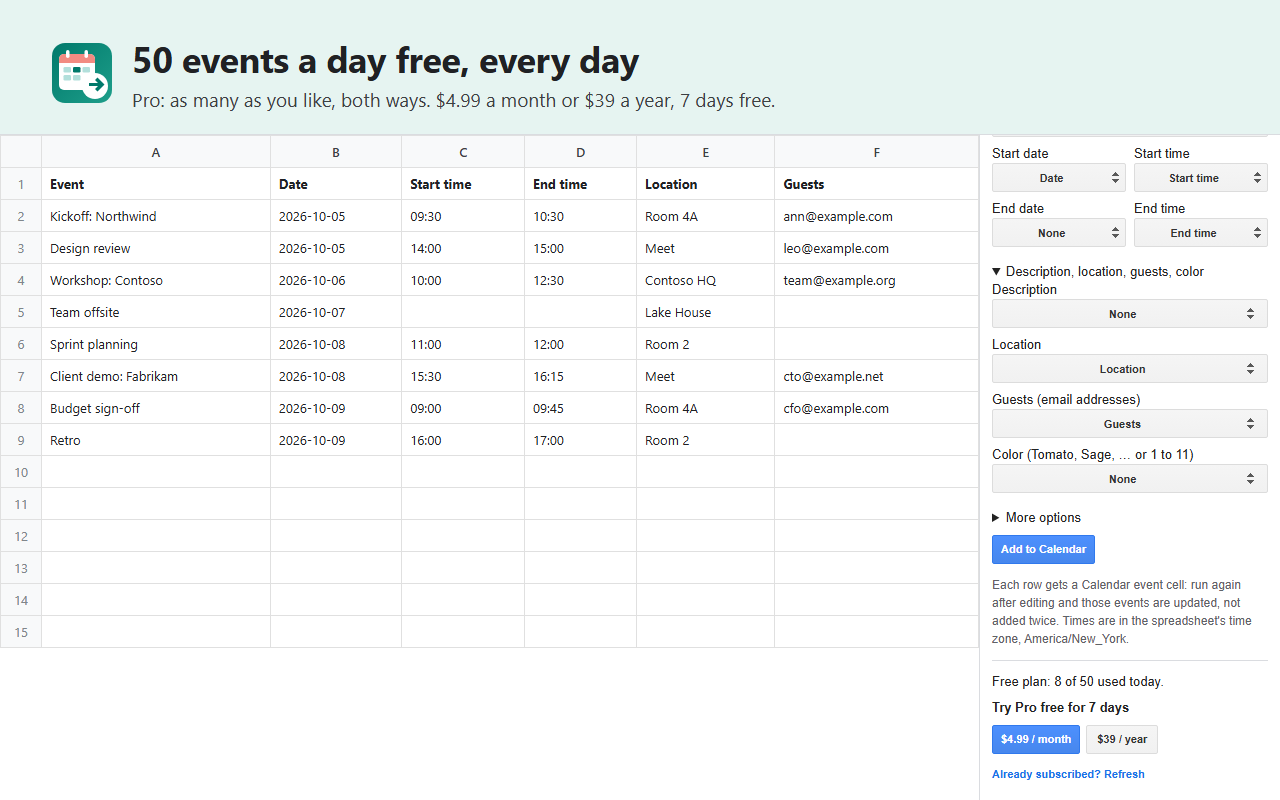
EventFill is an add-on for Google Sheets™ that turns the rows of a sheet into Google Calendar™ events, and a calendar’s events into a sheet.
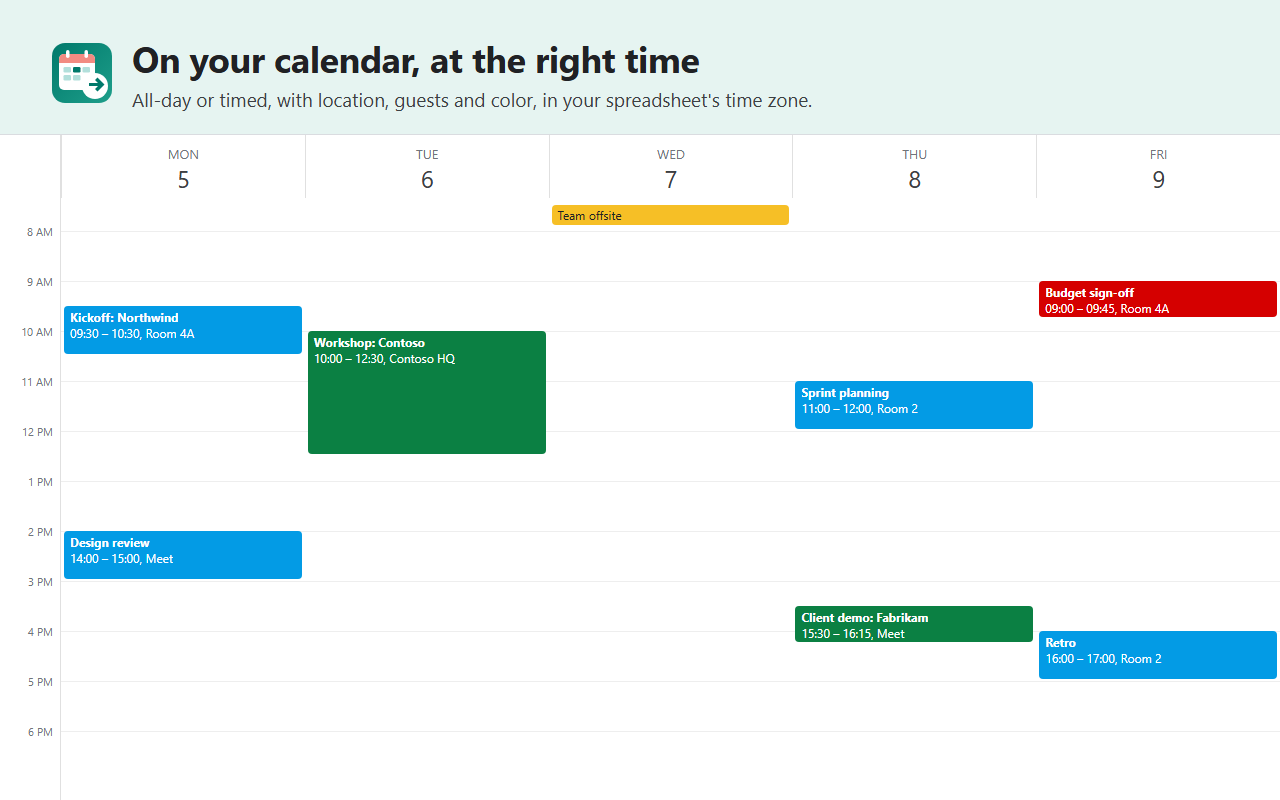
- Sheet to Calendar: pick the title and date columns (and, if you have them, start and end times, end dates, description, location, guests and color), pick one of your calendars, click once. A date alone makes an all-day event; a date and a time, a timed one. Save the column setup for repeat use on that tab; choose the guest column again after reopening.
- Start from a blank sheet: create a separate tab with the event headers and date/time columns ready, then enter your events. Setup creates no Calendar events.
- Check before adding: find date, time and guest-address formatting problems, with row numbers to fix. Checking creates no events and uses none of your free allowance.
- Keep linked events up to date: keep each row’s Calendar event cell and rerun to the same calendar. Changed rows update their events; unchanged ones are skipped. An unlinked row creates a new event. Copying a linked row copies its event ID too; do not reuse or replace that link unless you intend to update the event it identifies.
- Calendar to Sheet: any calendar you can see, between two days, into a new sheet with each event’s times and hours, ready to edit and send back.
- The right time: times are read in the spreadsheet’s time zone (File > Settings), across daylight-saving changes.
- Narrow access: EventFill only reaches the spreadsheet you use it in and the events of your calendars; it can list your calendars but not change their settings or sharing.
Plans
- Free: 5 events in total, sent or imported, for accounts with no earlier use. Existing users keep their current free allowance; unclear or damaged records keep it too. See the terms.
- EventFill Pro: $9 once per Google account for new purchases, with no subscription or automatic renewal. Google service quotas and limits still apply.
Existing monthly/yearly subscriptions and seven-day trials keep their original billing terms. Use Manage subscription in the sidebar to cancel before a trial ends or a renewal; access continues through the existing entitlement. Buy once after it ends to avoid overlapping charges.
Install it from the Google Workspace™ Marketplace, then open it from Extensions > EventFill in any spreadsheet.
Download two practice rows (XLSX + instructions) to try Check rows with a timed event and an all-day date. Checking creates no Calendar events and uses no allowance.
Add-on will not open or uses the wrong Google account?
Privacy policy · Terms of service · Support: spyridwn.pd@gmail.com