
GeoFill: Geocode Address to Lat Long Coordinates
Geocode addresses to latitude & longitude in Google Sheets™. Try 25 lookups free, then $9 once, no subscription. Several address columns, reverse geocoding, postcode zeros kept.
Privacy policy · Terms of service · Support: spyridwn.pd@gmail.com
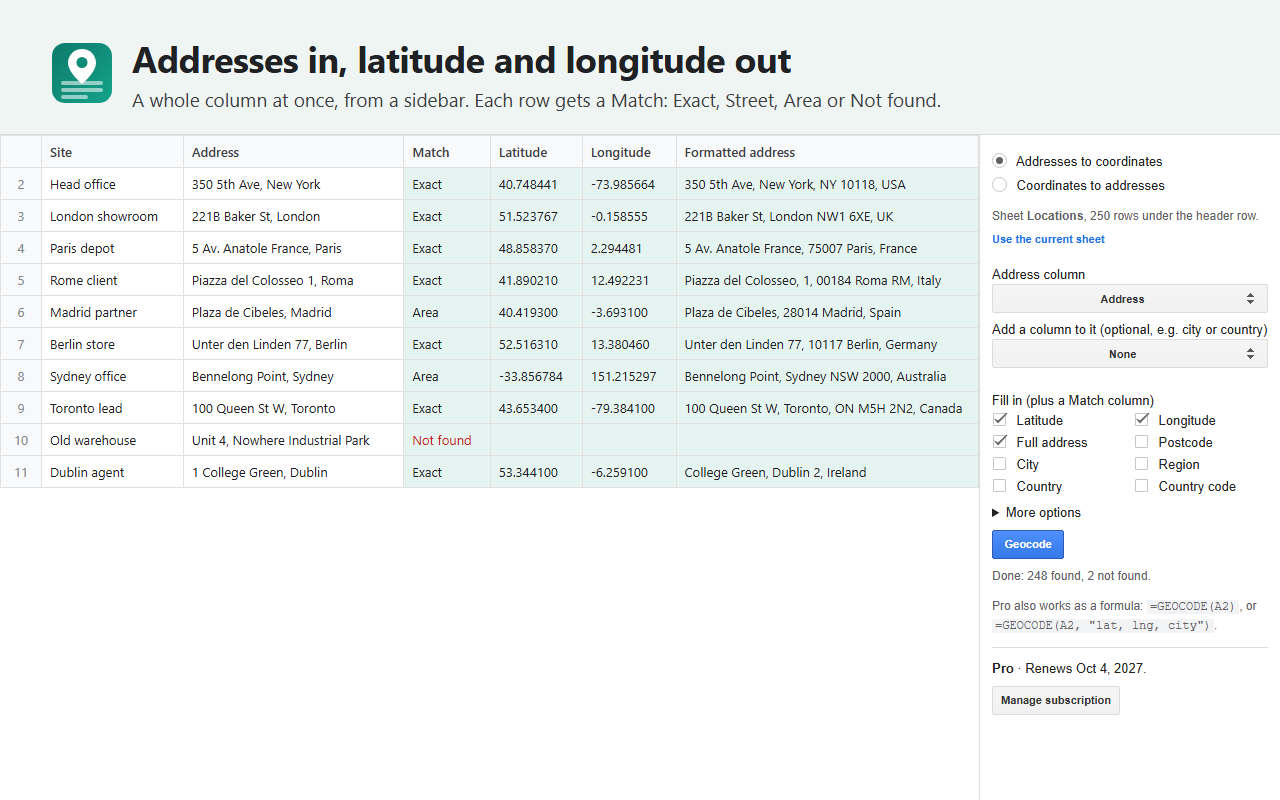
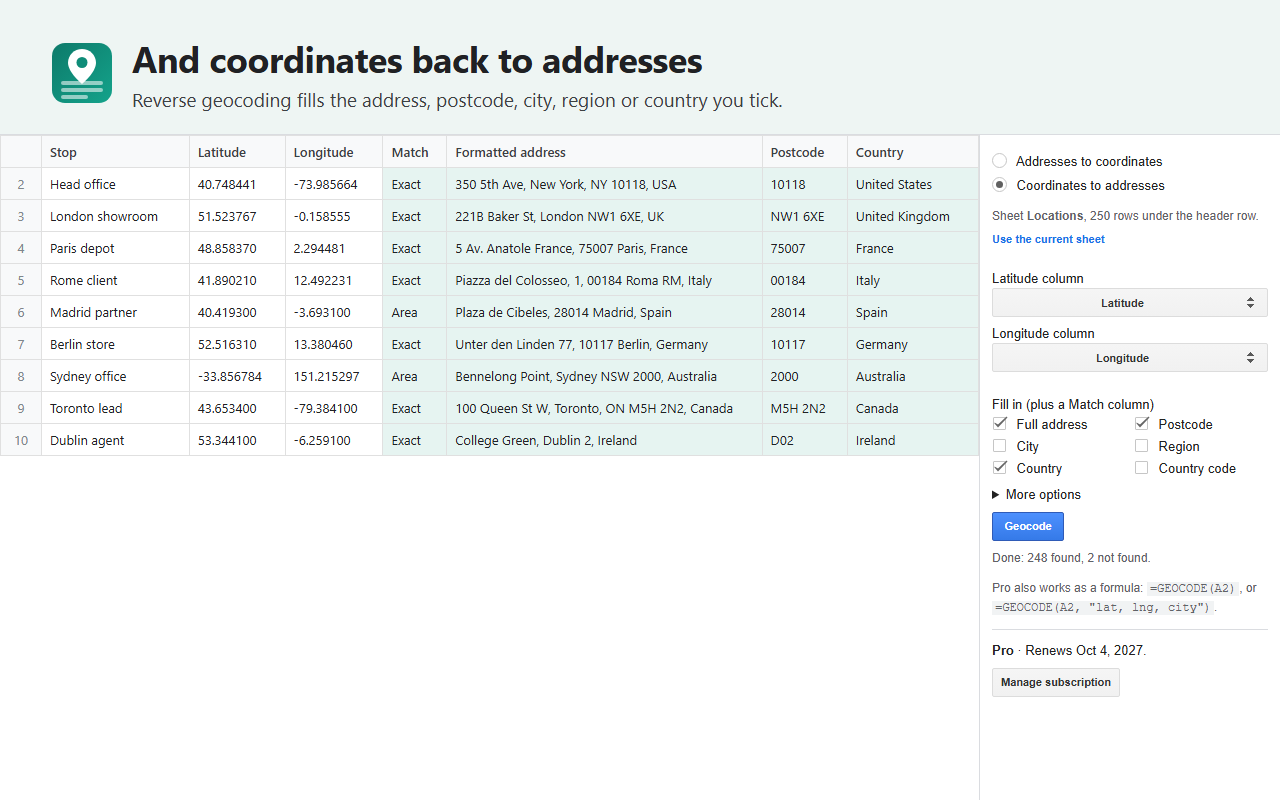
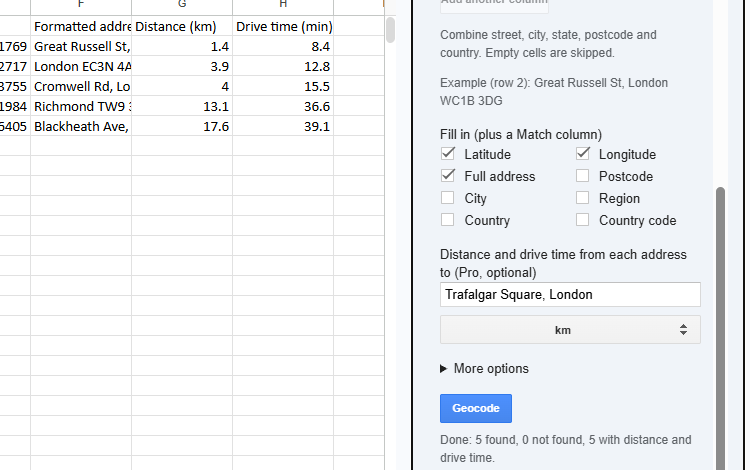
GeoFill is an add-on for Google Sheets™ that turns a column of addresses into latitude, longitude and a clean formatted address, and coordinates back into addresses, for the whole sheet at once.
- From a sidebar: pick the address column (or the latitude and longitude columns) and what to fill in: latitude, longitude, the full address, postcode, city, region, country. Each row also gets a Match: Exact, Street, Area, Approximate or Not found. Long lists carry on where they stopped.
- Split addresses: combine street, city, state, postcode and country columns in the order you choose. Check the joined example before running; empty parts are skipped and your input columns are preserved.
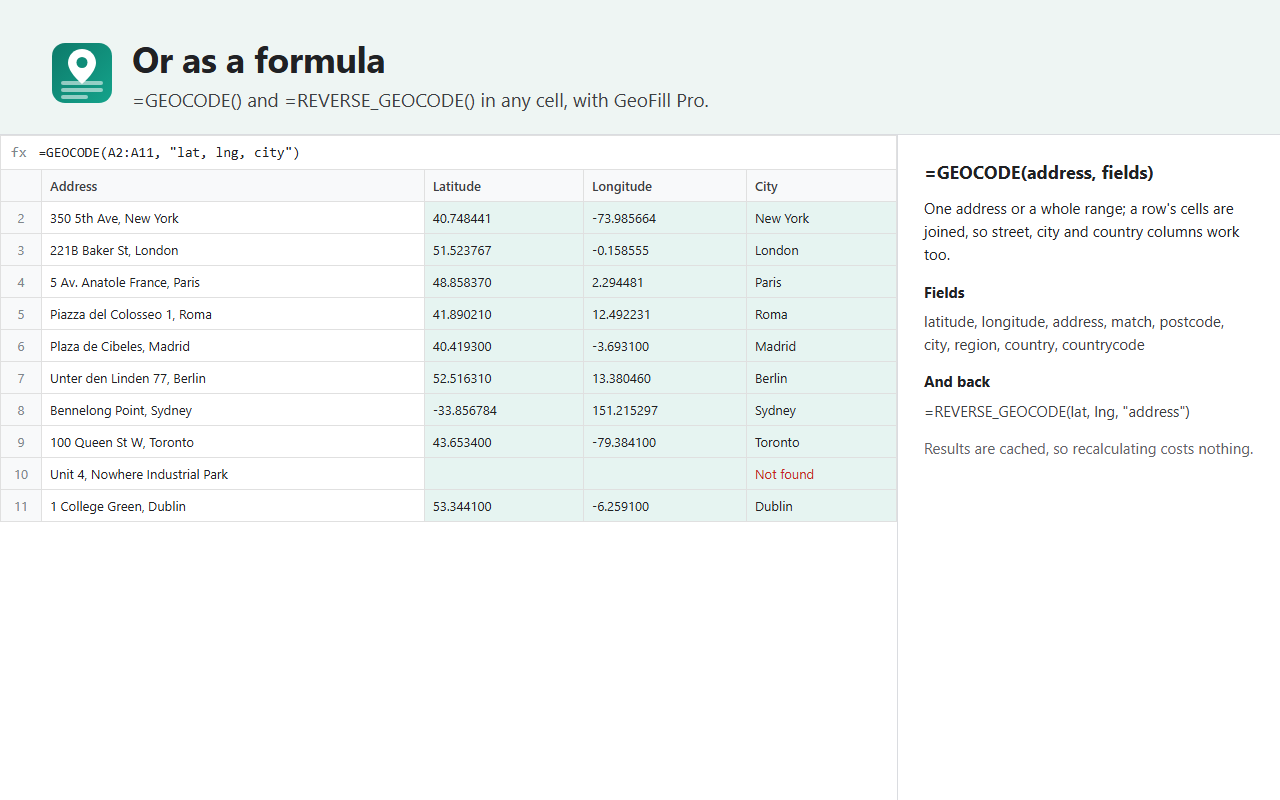
- As a formula (Pro):
=GEOCODE(A2)or=GEOCODE(A2:A500, "lat, lng, city"), and=REVERSE_GEOCODE(B2, C2). - Distance and drive time (Pro):
=DISTANCE(A2, B2)in km or miles and=DRIVE_TIME(A2, B2)in minutes, or a Distance and Drive time column to one place from the sidebar. - Narrow access: GeoFill only reaches the spreadsheet you use it in, never your other files.
It runs on Google’s own geocoding service, within your account’s daily allowance (1,000 lookups a day on a personal account, 10,000 on Workspace).
Plans
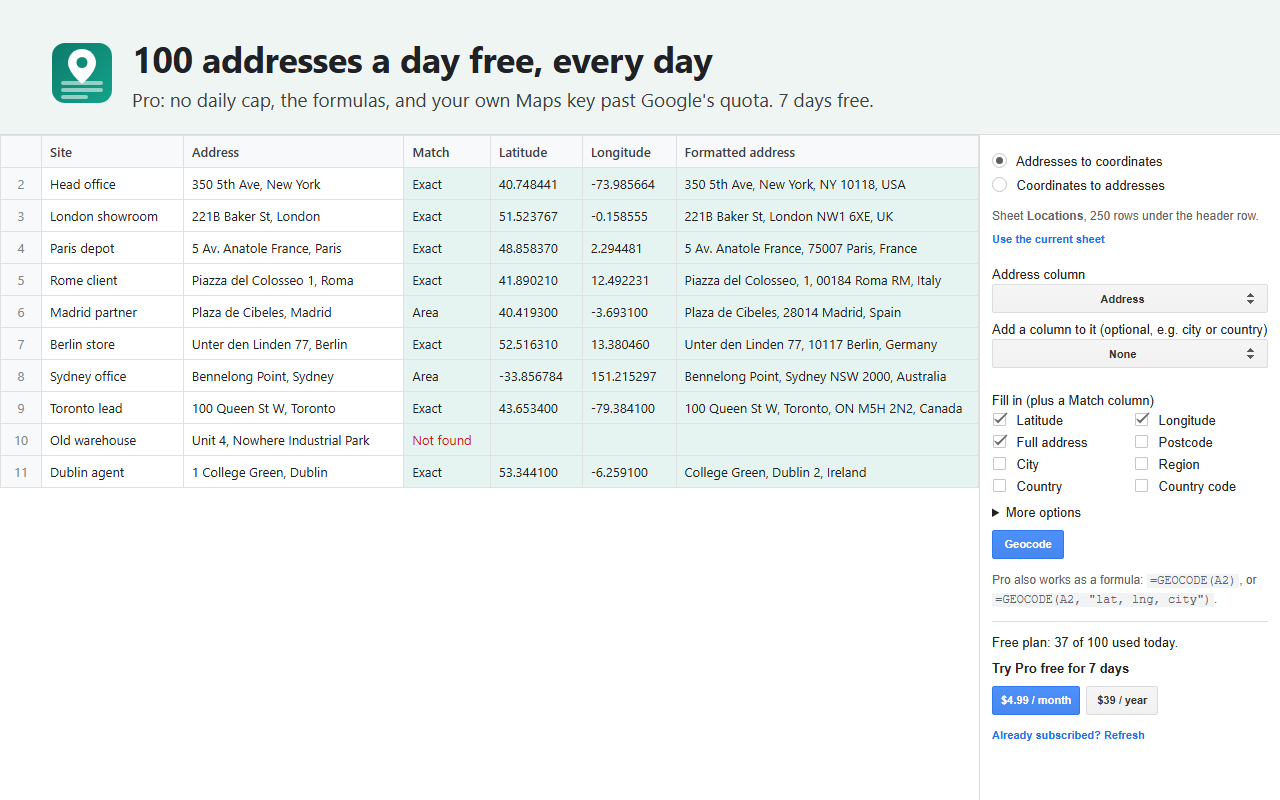
- Free: 25 address or coordinate lookups in total. Existing users keep their current free allowance. See the terms.
- GeoFill Pro: $9 once per Google account. Removes GeoFill’s free cap, adds the formulas, distance and drive time, and lets you use your own Maps Platform key. Google’s quotas still apply; any charges for your key are separate.
For a one-time purchase, formulas need a successful plan check in each spreadsheet at least every 30 days. Open GeoFill and click Refresh geocoding formulas if asked. Reopening the spreadsheet alone cannot renew the check, and an unavailable billing service cannot extend it. Existing subscriptions and trials keep their original renewal and cancellation terms. Manage them from the sidebar; buy once after the existing entitlement ends. Buying once does not automatically cancel a subscription.
Before filling rows, GeoFill checks which ones still need results. If your remaining free allowance will not cover the job, choose whether to keep partial results now or cancel. By default, already processed rows are skipped; empty inputs are always skipped. The preview does not reserve allowance; each batch checks it again as it runs.
After you start a run, GeoFill remembers that tab’s input columns, their order and your selected options for your Google account. Reopen the sidebar to pick up the remaining rows. If the input headers change or are ambiguous, choose the columns again. Forget this tab’s saved setup removes those saved choices.
Install it from the Google Workspace™ Marketplace, then open it from Extensions > GeoFill in any spreadsheet.
Starting with an empty tab? Choose Create sample tab in GeoFill for two public example addresses in a new tab, then click Geocode. Your existing cells stay as they are. The two lookups use your normal allowance.
Add-on will not open or uses the wrong Google account?
Privacy policy · Terms of service · Support: spyridwn.pd@gmail.com